PSD to PNG Converter
Convert PSD files to PNG with transparency. Full resolution. No upload.
🔒 Files never uploaded⚡ No sign-up🆓 Free — batch up to 5 files
This page is a free PSD to PNG converter that turns a PSD file into a PNG with transparency, in your browser, without uploading it. Drop the file on the box, check the preview, and download a full-size PNG. Empty areas stay empty, so a logo does not pick up a white box. You can hide a layer before the export if you do not want it in the picture. You do not create an account, and the original stays on this device.
How to convert PSD to PNG
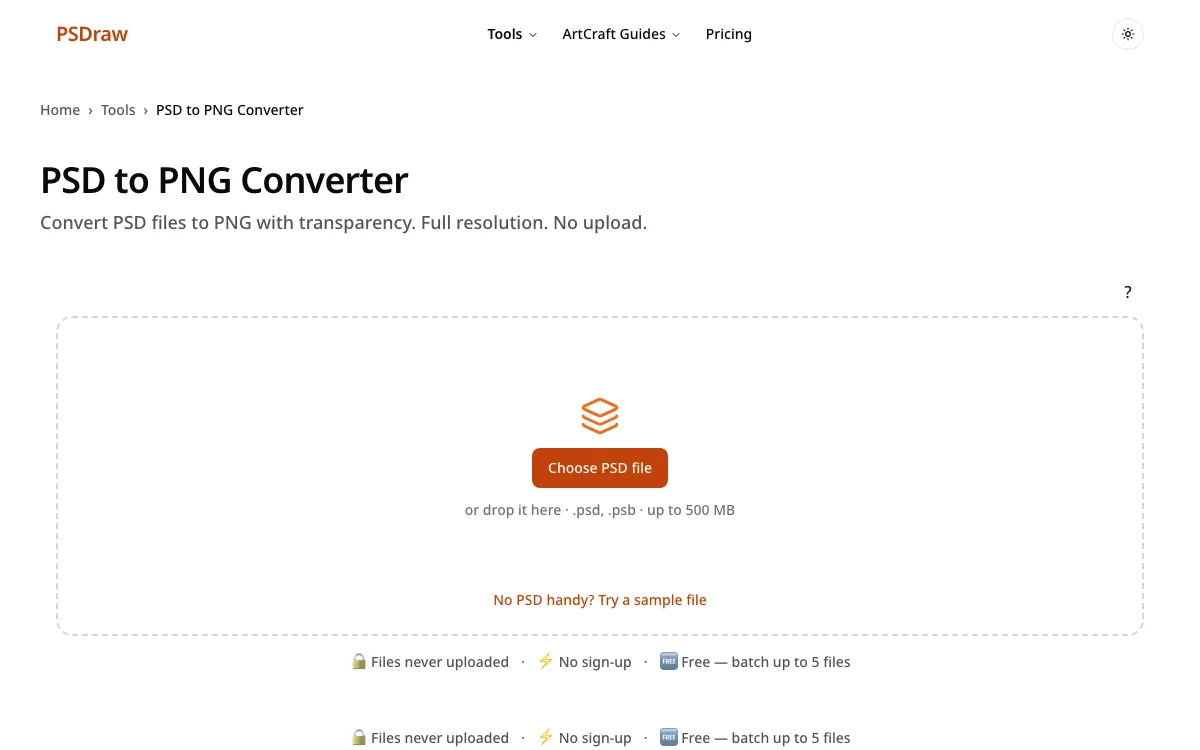
- To convert PSD to PNG, drop the file on the box or choose it from your computer. You can open the sample first if you want to practice the clicks. The bytes stay on this device.
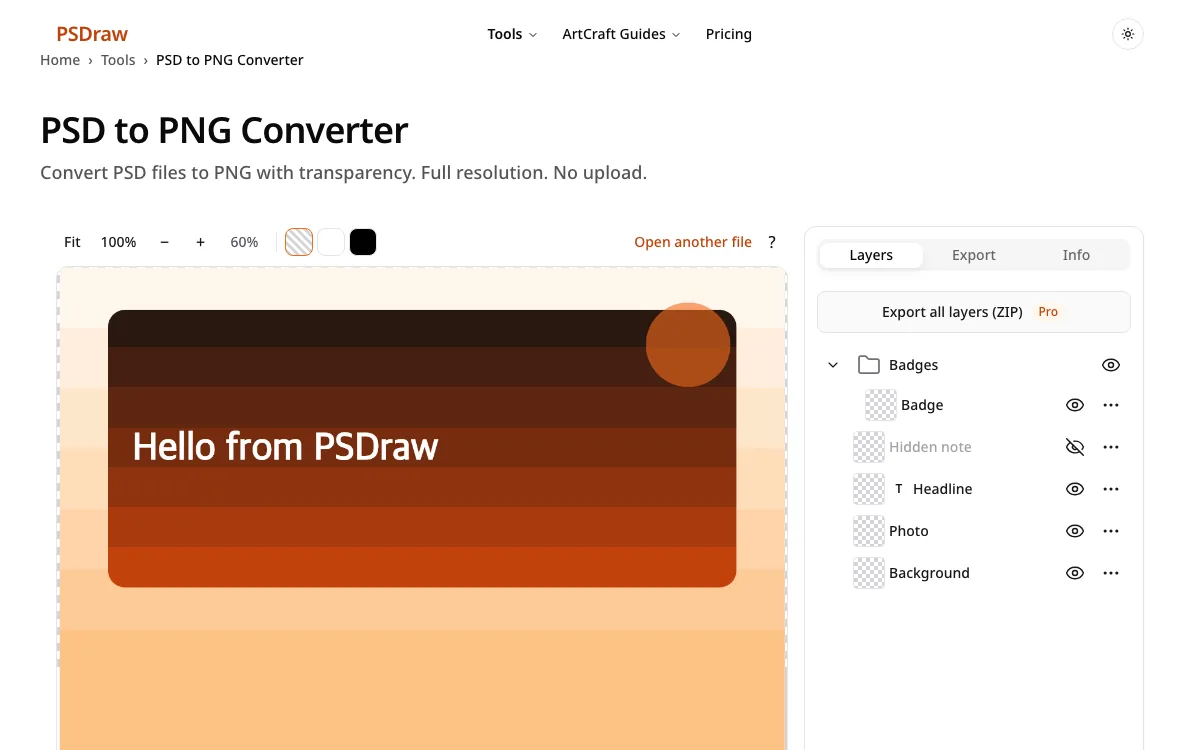
- Wait for the preview. Hide any layer you do not want baked into the picture. A .psd to png export keeps the image and drops the Photoshop wrapper, and empty areas should look empty on the checkerboard.
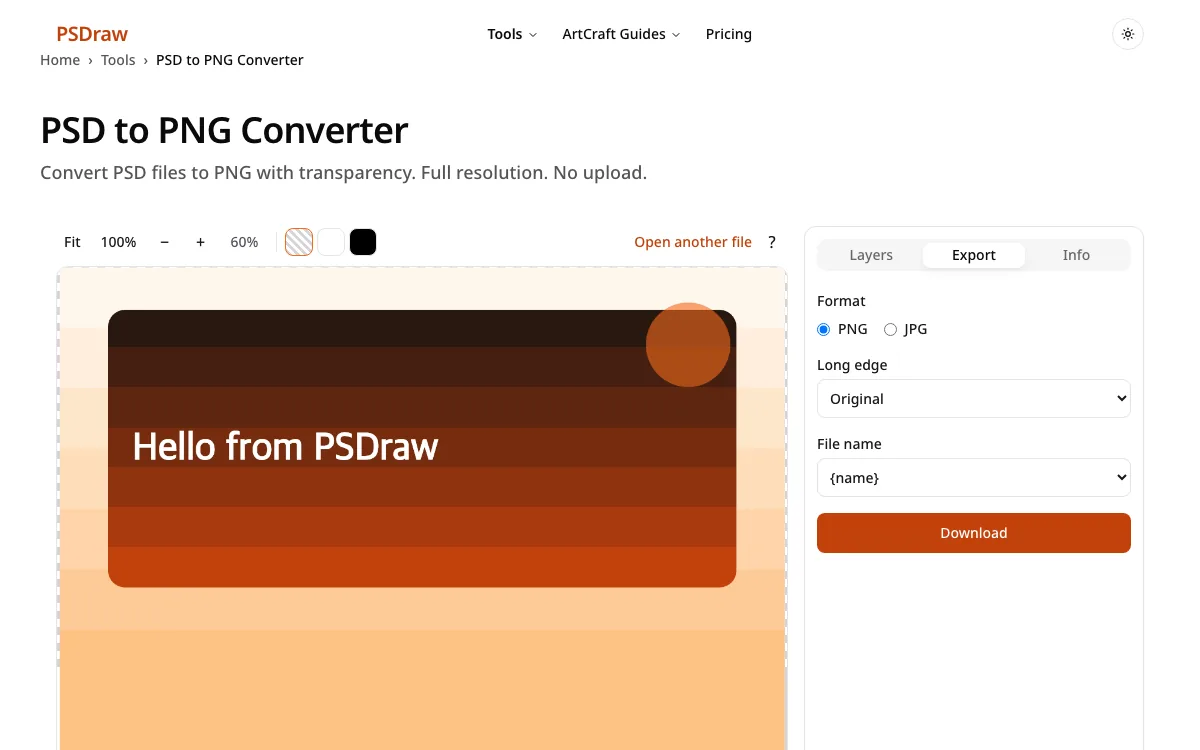
- The PSD to PNG file downloads as soon as you press Download. Pick PNG if it is not already selected. The image stays at the original pixel size.
What do you need from your PSD?
Look before you export
Use PSD to PNG when the next tool in the chain needs transparency, but look at the layers first if the file is unfamiliar. Confirm which groups are visible, then export. A quick look saves a second round trip with the person who sent the file.
Need a JPG instead
Some inboxes and forms reject PNG, or they want a smaller photo. Switch to a JPG export, pick a background color, and choose a quality. Transparency will be filled, so check the edges of logos before you send the file.
Read the longer walkthrough
If you are new to the format, the guide covers Windows, Mac, and phones, plus what to try when a file will not open. Come back here when you only need the transparent picture. The same file never has to be uploaded for either page.
PSD to PNG converter features
Files stay on your device
This PSD to PNG converter keeps the full pixel size. Decoding happens in the browser, so the file is not uploaded and no account is required.
See every layer
Turn layers off before export so only the parts you want are flattened into the PNG. Groups stay grouped in the list until you hide them.
Read text layers
Text layers can be read before you export. That helps when the words in the picture must match the caption you paste into a doc.
PSB support
A psb to png export uses the same button when the document is a large PSB. The 500 MB browser limit still applies.
Batch up to 5 files free
Free batches include up to 5 files. A larger run can wait, or you can convert them one group at a time. Pro raises the cap to 50 files.
Transparent PNG / custom JPG background
PNG keeps transparency, which is the default export on this page. A JPG export would fill those pixels with a color you choose instead.
What is a PSD file?
A PSD file is a layered working document. Designers use it because a logo, a photo, and a line of type can live on separate layers and stay editable. A PNG, by contrast, is a flat image. It can store transparency, and it does not throw away pixels the way a JPG does. A flat PNG is the usual result of a PSD to PNG export. You get one picture that other apps, slides, and websites already understand.
The working file can also be a PSB when the canvas is very large. Galleries and email clients rarely open either extension. They want the flat picture. Keeping the layered original and handing over a PNG is the usual split: you share the look without giving away every editable layer. Resolution stays at the size stored in the document, so a 2000-pixel-wide design does not get silently shrunk. That split is the point of exporting: one picture to share, and the layered file kept for the next edit.
PSD to PNG: transparency, layers and quality
Transparency is the reason to pick PNG. Where the design has no pixels, the PNG stores nothing, and a page background can show through. JPG cannot do that. It paints a solid color behind every pixel, which is why logos suddenly grow a white rectangle. If the request says change PSD to PNG, download the PNG this page builds and leave the layered original untouched.
Run the .psd to png step again if the source file changes. Hide layers you do not want, because the export flattens whatever is visible. The short version of how to convert psd file to png is: drop the file, pick PNG, and download. Quality stays lossless, which matters for UI assets, screenshots with text, and hard edges. Photos that only need to be small can use JPG instead. Blending in the preview uses normal mode and opacity, so a few effects can look different from the desktop editor. If the file has a stored composite, that image is what you export.
Why convert PSD files to PNG with PSDraw
| PSDraw | Typical upload-based converters | |
|---|---|---|
| File uploaded | No | Yes |
| See layers | Yes | Usually no |
| Free batch | up to 5 files | varies |
| Ads | None | Often |
| Account | No | Sometimes |
People pick PSD to PNG when a logo must sit on a colored background later. Upload-based sites often take the file, flatten it, and sometimes add an account or ads before the download. Here the file stays on the device, layers can be checked, and a free batch covers 5 files. There is no sign-up. The honest limit is the browser: files over 500 MB are refused, and very unusual blend modes follow the saved composite rather than a perfect desktop match.
PSD to PNG FAQ
Does converting PSD to PNG keep transparency?
Yes. A PSD to PNG transparent background stays empty where the design had no pixels. The checkerboard in the preview is only a guide. It is not saved into the file.
Can I convert a PSD file to PNG without Photoshop?
Yes. You can convert PSD to PNG without Photoshop in this browser. The short version of how to convert psd file to png is: drop the file, pick PNG, and download.
Can I export a single layer as PNG?
Yes. Export one layer as PNG from the layers list when you only need that piece. The other layers stay out of that download.
Can I convert several PSD files to PNG at once?
Free runs include up to 5 files, and Pro includes up to 50. More than the free batch needs a 24-hour pass or Pro.
Does it work with PSB files?
Yes. PSB files use the same PNG export as ordinary PSD files, subject to the 500 MB browser limit.
Is there a size limit?
Files over 500 MB are refused in the browser. Very large images may need a half-size download if the full export runs out of memory.
Are my files uploaded?
No. The conversion runs in this browser and the file is not uploaded. Closing the tab clears it.
Run PSD to PNG above and keep the file on your device. Download the transparent picture when the preview looks right.