FilmCraft: ArtCraft's Free Premiere Pro Alternative, Online
Unofficial guide · Updated Oct 12, 2026 · 9 min read
FilmCraft is built for desktop. On a phone it may be slow or not open at all.
Open FilmCraft in your browser
Free, no account, no install. FilmCraft runs on your device, so your files stay on your computer.
FilmCraft is built for desktop. On a phone it may be slow or not open at all.
First load downloads about 15 MB. Works best in desktop Chrome or Edge.
PSDraw hosts the unmodified FilmCraft 0.6.0 web build by the ArtCraft team (MIT or Apache-2.0). Not made or endorsed by the ArtCraft team. License · Source on GitHub
TL;DR
FilmCraft is ArtCraft’s free, open-source Premiere Pro alternative. As of Oct 12, 2026 it is alpha: editing, color, audio and export work, but .prproj files do not open.
- FilmCraft v0.6.0 runs on Windows, macOS, Linux, FreeBSD and in the browser; open it online from this page.
- The project rates itself at about 86% of Premiere’s features and about 56% ready for real work.
- It uses its own H.264, HEVC, ProRes and AAC codecs, with no FFmpeg inside.
As of Oct 12, 2026
Question: Price
Short answer: Free and open source
Source: FilmCraft README
Question: Status
Short answer: Alpha
Source: FilmCraft README
Question: Latest release
Short answer: v0.6.0 (Oct 11, 2026)
Source: GitHub Releases
Question: Runs in a browser
Short answer: Yes; we imported, trimmed and exported a clip
Source: Our test, Oct 12, 2026
Question: Opens .prproj projects
Short answer: No
Source: FilmCraft README
The catch: the coverage numbers are the project’s own estimate, and nothing yet compares FilmCraft’s output with Premiere’s frame by frame.
https://getartcraft.com/apps/filmcraft
Verdict: Try FilmCraft for cuts, color, captions and H.264 exports; keep Premiere for .prproj projects, plug-ins and 10-bit camera footage on Windows.
FilmCraft is the video editor in the ArtCraft suite: a free Premiere Pro alternative written in Rust, with its repository created on Sept 30, 2026. In under two weeks it shipped seven releases and passed 10,000 stars on GitHub. This unofficial FilmCraft guide shows how to try FilmCraft online in your browser, what it can edit today, how it compares with Premiere Pro, and where to get the FilmCraft download for Windows, Mac and Linux. PSDraw is not affiliated with the ArtCraft team.
What is FilmCraft?
FilmCraft is a non-linear video editor from the team behind ArtCraft. Its README calls FilmCraft a clean-room reimplementation of Adobe Premiere Pro, rebuilt in pure Rust, and says it contains no Adobe code, icons, presets or LUTs. The README also states that FilmCraft is independent and not affiliated with, sponsored by or endorsed by Adobe.
The goal is familiarity for people who know Premiere: the same Source and Program monitors, bins, multi-track timeline and Editing, Color, Effects and Audio workspaces, with matching shortcuts. Underneath, the FilmCraft ArtCraft team wrote new code from the bitstream up. The H.264, HEVC, ProRes and AAC codecs are its own, implemented from public specifications, and there is no FFmpeg inside.
FilmCraft is also built for automation. Every menu item and drag is a command with an id, more than 650 in total, and the same commands can be run from a command-line tool, a JSON control channel or an MCP server for AI agents. If you came from the Adobe clone story, FilmCraft is the Premiere piece of that suite.
Tested by the PSDraw team on Oct 12, 2026 with the official FilmCraft v0.6.0 web build (checksum verified).
FilmCraft vs Premiere Pro
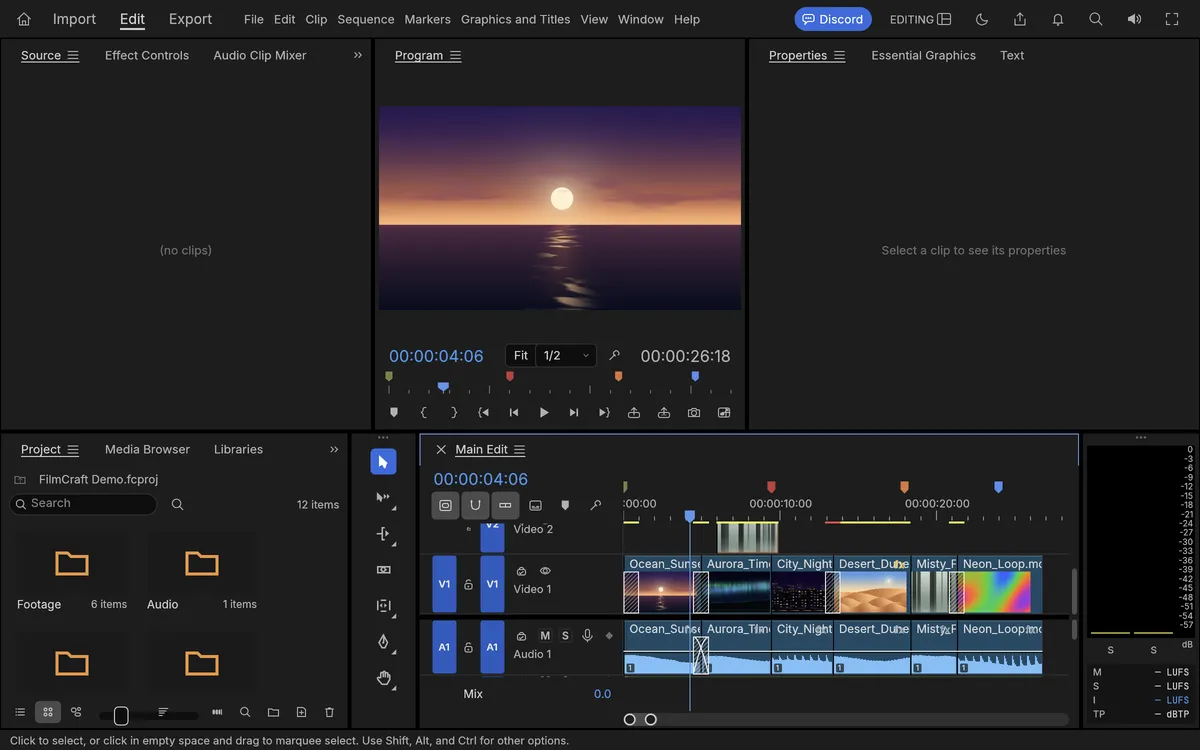
FilmCraft vs Premiere Pro is the comparison most editors want, and the FilmCraft README answers with two numbers measured on Oct 10, 2026 against Premiere Pro 26.5.2. Feature breadth is about 86%: menus, effects, transitions, panels and formats that exist in FilmCraft. Ready for real work is about 56%, which the project calls its honest estimate of how close FilmCraft is to replacing Premiere on real projects.
Read both as the project’s own estimate. The table below turns the README and the FilmCraft gap list into simple marks; for anyone searching filmcraft vs premiere, the short version is strong editing tools and weak project compatibility.
Premiere features present (~86%)
FilmCraft: Partial
Premiere Pro: ✓
Ready for real work (~56%)
FilmCraft: Partial
Premiere Pro: ✓
Three-point editing and every trim tool
FilmCraft: ✓
Premiere Pro: ✓
Lumetri-style color grading
FilmCraft: ✓
Premiere Pro: ✓
Audio mixers and loudness meters
FilmCraft: ✓
Premiere Pro: ✓
Captions: SRT, WebVTT and SCC
FilmCraft: ✓
Premiere Pro: ✓
Export H.264 MP4, ProRes and DNxHR
FilmCraft: ✓
Premiere Pro: ✓
Export HEVC (hardware encoder only)
FilmCraft: Partial
Premiere Pro: ✓
FCP7 XML, AAF and EDL interchange
FilmCraft: ✓
Premiere Pro: ✓
Open .prproj projects
FilmCraft: ✗
Premiere Pro: ✓
Third-party audio and video plug-ins
FilmCraft: ✗
Premiere Pro: ✓
Free, MIT or Apache-2.0
FilmCraft: ✓
Premiere Pro: ✗
| Feature | FilmCraft | Premiere Pro |
|---|---|---|
| Premiere features present (~86%) | Partial | ✓ |
| Ready for real work (~56%) | Partial | ✓ |
| Three-point editing and every trim tool | ✓ | ✓ |
| Lumetri-style color grading | ✓ | ✓ |
| Audio mixers and loudness meters | ✓ | ✓ |
| Captions: SRT, WebVTT and SCC | ✓ | ✓ |
| Export H.264 MP4, ProRes and DNxHR | ✓ | ✓ |
| Export HEVC (hardware encoder only) | Partial | ✓ |
| FCP7 XML, AAF and EDL interchange | ✓ | ✓ |
| Open .prproj projects | ✗ | ✓ |
| Third-party audio and video plug-ins | ✗ | ✓ |
| Free, MIT or Apache-2.0 | ✓ | ✗ |
As of Oct 11, 2026. Cells use only ✓, Partial, or ✗.
What FilmCraft can do today
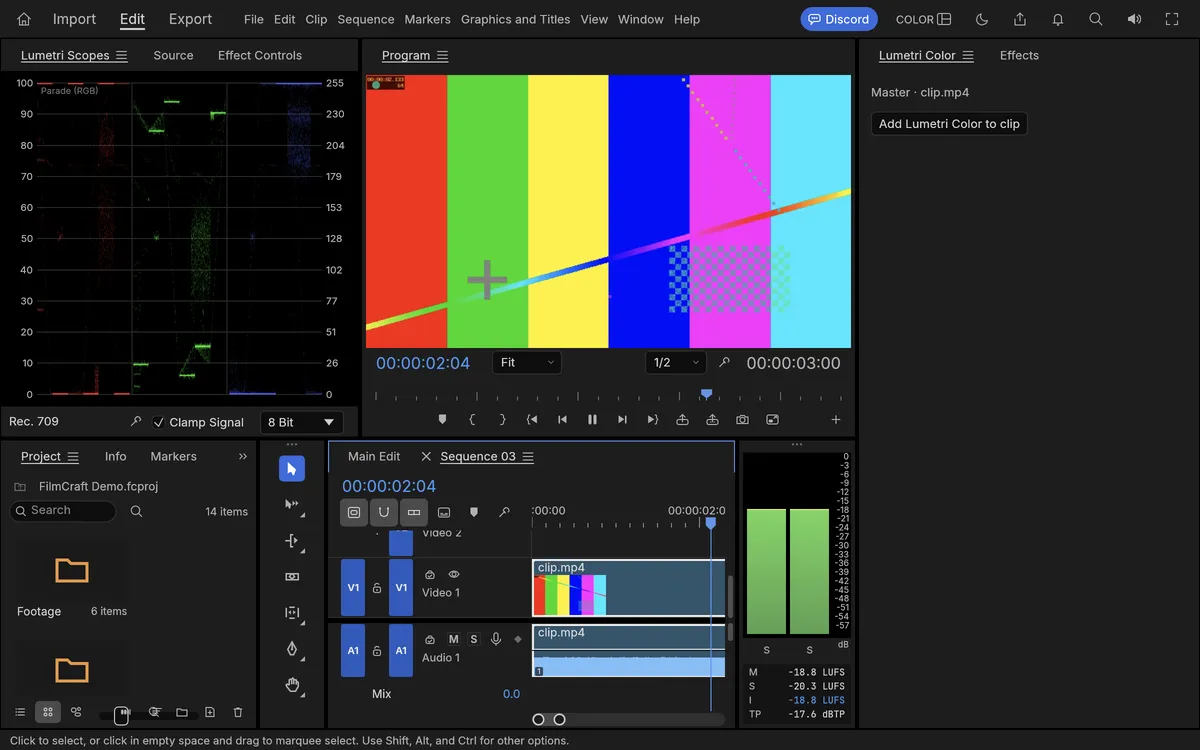
Editing is the strongest area. FilmCraft has three-point editing with insert, overwrite, lift and extract; ripple, roll, slip, slide, rate stretch and razor tools; a trim mode with frame nudges; markers, nesting, multicam and unlimited undo with a History panel. Every edit is computed on exact integer time, so 29.97 drop-frame and 59.94 are exact.
Color work happens in a Lumetri-style panel with basic correction, eight built-in looks, RGB and hue curves, color wheels, HSL secondary and vignette. The effects bin matches Premiere 26’s 93 video effects plus around 30 transitions, and every clip has motion, opacity and keyframes with value and velocity graphs. Audio gets track and clip mixers, automation modes and loudness meters to EBU R128.
Titles use a real text engine, and caption tracks import and export SRT, WebVTT and SCC. Export writes H.264 MP4 with AAC using FilmCraft’s own encoders, plus ProRes 422 HQ, DNxHR, MXF, PNG sequences, GIF and WAV. Timelines move in and out through FCP7 XML, FCPXML, OpenTimelineIO, EDL, AAF and OMF.
How to use FilmCraft online: your first edit
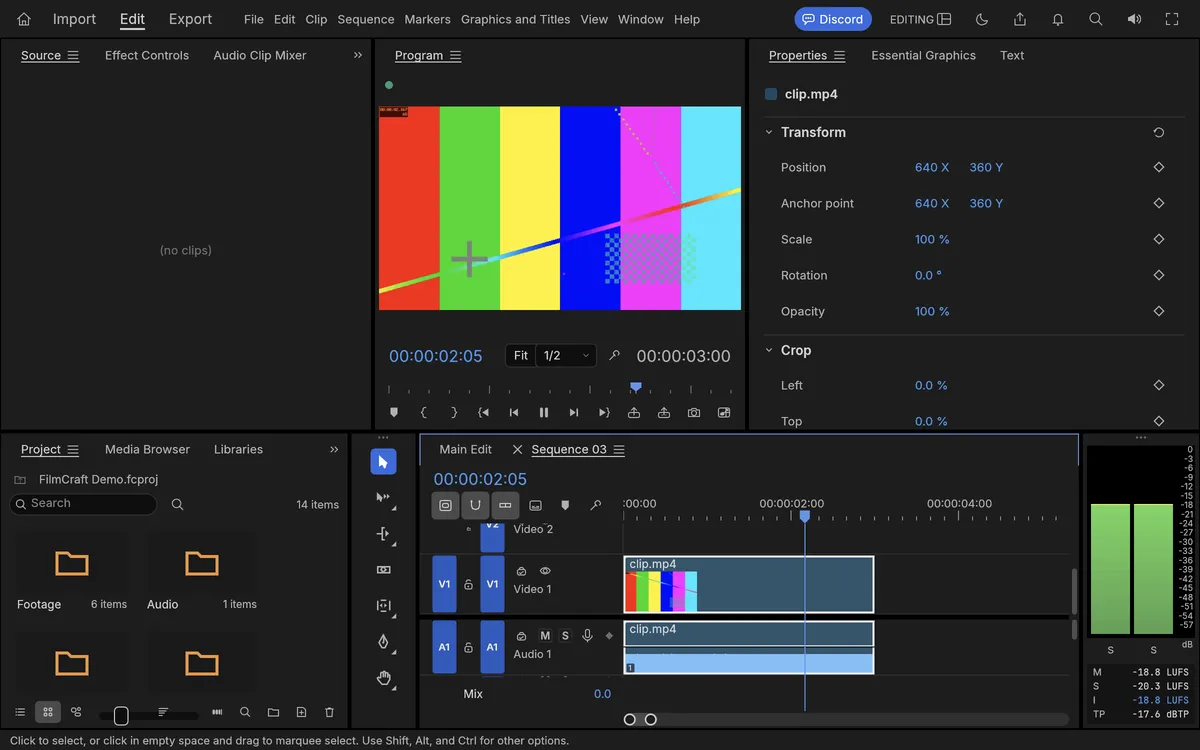
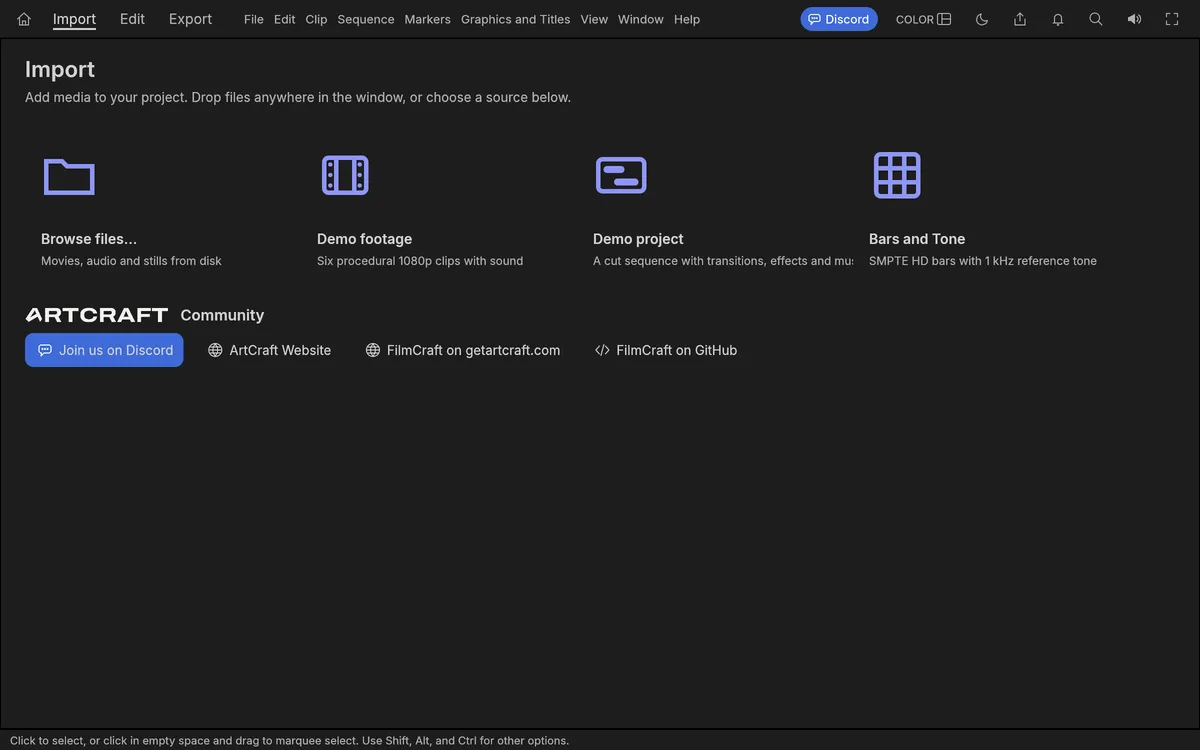
The quickest way to try this free Premiere Pro alternative is our hosted copy of the official web build. Click the button at the top of this page or open FilmCraft online. The first visit downloads about 15 MB, then FilmCraft online opens in a new tab with a demo project: six clips, music and transitions on a Main Edit timeline.
Step 1: click Import at the top left, then Browse files, or drag a clip from your desktop onto the window. Step 2: drag the clip from the Project panel onto the timeline, or choose File, then New, then Sequence From Clip to build a sequence that matches it. Step 3: trim it. Drag the clip’s right edge with the Ripple Edit tool, or move the playhead and press W to ripple-trim the end to the playhead, as in Premiere.
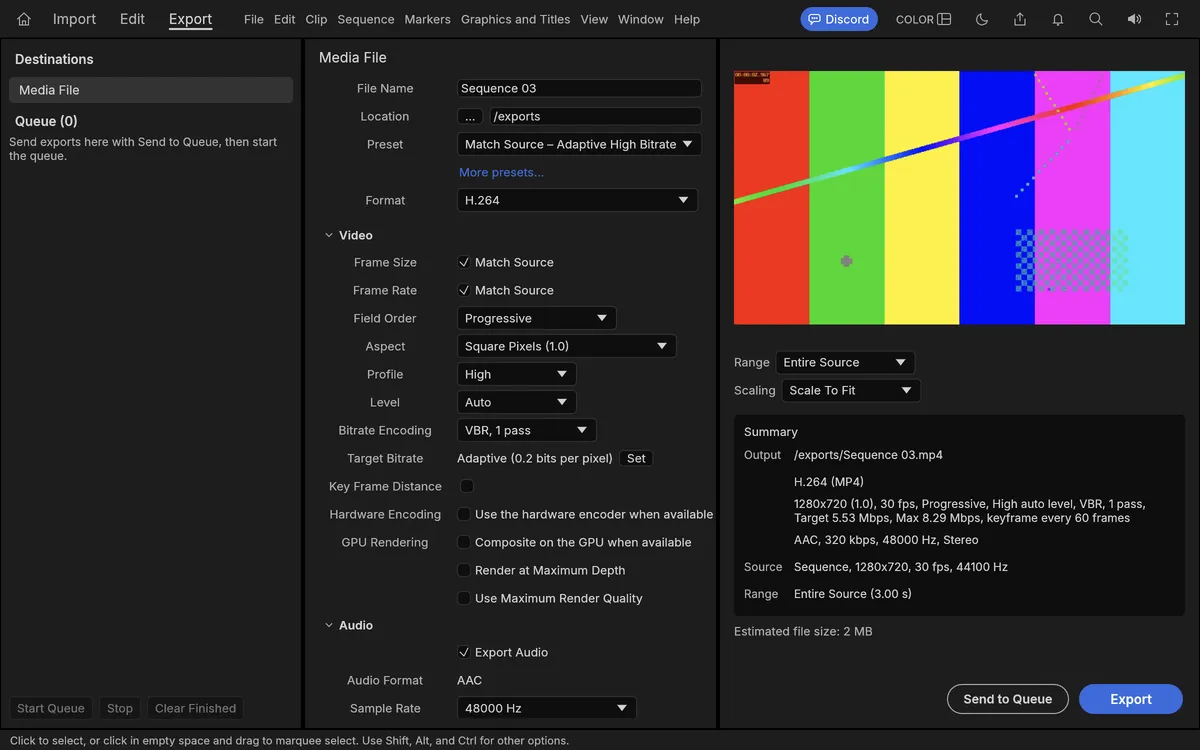
Step 4: press the space bar to play, then click Export at the top, choose H.264 and press Export. In our test on Oct 12, 2026, a five-second H.264 test clip imported in seconds; we trimmed two seconds off, it played with sound, and the three-second H.264 export finished in 5.7 seconds. Exports come back as browser downloads, and nothing is uploaded.
FilmCraft download: Windows, Mac, Linux and the web
Get every FilmCraft download from the FilmCraft page on getartcraft.com or the FilmCraft releases on GitHub. FilmCraft v0.6.0 was published on Oct 11, 2026; v0.1.0 came out on Oct 2, and five more releases followed in between.
On Windows there are MSI installers and portable zips for x64, ARM64 and 32-bit x86, and the installers and executables are code-signed. On macOS there is one universal DMG, signed and notarized, plus a command-line tool. Linux users get AppImage, Flatpak, deb, rpm and tar.gz builds for x86_64 and ARM64, a RISC-V tarball, and FreeBSD has its own tarball.
The web build is a static site zip; that is the file PSDraw hosts, unchanged. Every release includes SHA256SUMS.txt, so compare the checksum before you install, and avoid sites that offer a repackaged installer. Our ArtCraft download guide walks through the checksum step.
FilmCraft on GitHub
The FilmCraft GitHub repository lives at github.com/storytold/filmcraft, under the same storytold account as PhotoCraft, EffectCraft and the other ArtCraft apps. By Oct 12, 2026 it had about 10,800 stars and 4,300 forks, more than most of its sibling apps. On the filmcraft github page you can also follow the release notes for each version.
The code is offered under your choice of MIT or Apache-2.0. The ArtCraft name and logo are trademarks outside that license, so a published fork must rename itself; our ArtCraft open source guide explains the rule. FilmCraft shares its codecs and time model with EffectCraft, the ArtCraft After Effects alternative.
Issues are open, and the README asks for bug reports with real footage above all. The project also keeps a ranked public list of where it falls short of Premiere Pro. The ArtCraft GitHub guide lists every sibling repository with live star counts.
Known limitations of FilmCraft
The biggest gap for switching editors: Premiere .prproj files cannot be opened yet. You can bring sequences over as FCP7 XML, AAF or OpenTimelineIO, but bins, effects and most metadata are lost on the way. There is no plug-in hosting either, so VST3, Audio Units and OpenFX effects do not work.
Camera footage is the next issue. The H.264 decoder is 8-bit 4:2:0 only, so 10-bit and 4:2:2 files from many current cameras need a hardware decoder and do not open on Windows or Linux. Lumetri, keys and export rendering still run on the processor, which is slow on big footage. HEVC export needs a hardware encoder, and there is no AV1 export.
Windows and Linux get far less testing than macOS, and start-up crashes have been reported. In the browser, the gap list adds that image-sequence exports can drop frames in Chrome. Treat FilmCraft as a capable alpha: good for short edits today, not yet for client delivery.
Other products called FilmCraft
Several unrelated sites use the FilmCraft name, so search results are mixed. The editor on this page is the Rust app published by the ArtCraft team under the storytold GitHub account. As of Oct 12, 2026, these three are separate products with no connection to it that we could find.
FilmCraft AI at filmcraftai.com describes itself as a personalized movie recommendation service: you add favorite films and it suggests what to watch next. FILMCRAFT at filmcraft.app is a self-paced film school for ages 15 to 24 that leads to a first short film. And filmcraft.io builds custom cinematic book trailers for authors. If you searched for film craft lessons or an AI tool, one of those is probably what you meant.
A quick check for the ArtCraft app: the download comes from getartcraft.com or github.com/storytold/filmcraft, and the description mentions Premiere Pro and Rust. We found no AI video generator called FilmCraft.
FAQ
Is FilmCraft free?
Yes. FilmCraft costs nothing and its code is MIT or Apache-2.0, so commercial use is allowed. The ArtCraft name and logo are not part of that license.
Does FilmCraft work in a browser?
Yes. The official web build runs in desktop Chrome or Edge; open our hosted copy from the button at the top of this page. The first visit downloads about 15 MB.
Can FilmCraft open Premiere Pro projects?
Not yet. The README says .prproj files cannot be opened. Export your sequence from Premiere as FCP7 XML, AAF or OpenTimelineIO and import that instead.
Which video formats does FilmCraft support?
It decodes H.264, HEVC, ProRes, VP9, AV1, DNxHD/DNxHR and more in MP4, MOV, MXF and WebM, and exports H.264 MP4, ProRes, DNxHR, PNG sequences, GIF and WAV.
Is FilmCraft made by Adobe?
No. FilmCraft is an independent clean-room project from the ArtCraft team. Its README says it is not affiliated with, sponsored by or endorsed by Adobe.
Is FilmCraft safe to download?
Download it only from getartcraft.com or the storytold GitHub releases, and check the file against SHA256SUMS.txt. The Windows installers are code-signed and the Mac app is notarized.
FilmCraft is a serious new free Premiere Pro alternative, but it is still alpha. Try FilmCraft online for a quick cut, use it for short edits and H.264 exports, and keep Premiere for .prproj projects and plug-ins.
More ArtCraft guides
- ArtCraft vs AdobeArtCraft rebuilt Photoshop, Illustrator, Lightroom, Premiere and more as free open-source…
- Adobe CloneA developer used AI to clone seven Adobe apps as free open-source software. What the Adob…
- PhotoCraftPhotoCraft is ArtCraft's free, open-source Photoshop alternative. What it can do, how to…
- VectorCraftVectorCraft is ArtCraft's open-source Illustrator alternative built in Rust. Supported fi…
- LightCraftLightCraft is ArtCraft's open-source Lightroom alternative on GitHub. Supported RAW forma…
- PdfCraftPdfCraft is ArtCraft's free, open-source Acrobat alternative built in Rust. What it can d…
- WordCraftOpen WordCraft, ArtCraft's free open-source Microsoft Word alternative, right in your bro…
- EffectCraftRun EffectCraft, ArtCraft's free open-source After Effects alternative, in your browser.…
- GitHub ReposAll ArtCraft repositories on GitHub in one place — PhotoCraft, VectorCraft, LightCraft an…
- DownloadWhere to download ArtCraft safely: getartcraft.com, the ArtCraft Launcher, and GitHub rel…
- AlternativesLooking beyond ArtCraft? Compare the best free and paid alternatives for photo editing, v…
- Is It Open Source?Is ArtCraft really open source and free? What the MIT and Apache-2.0 licenses allow, the…
- Reddit ReviewsWhat Reddit says about ArtCraft and PhotoCraft: the praise, the doubts about AI-written c…
This page is an independent guide by PSDraw and is not affiliated with or endorsed by the ArtCraft Team or Adobe Inc. "ArtCraft" is a trademark of the ArtCraft Team.