WordCraft: Use ArtCraft's Free Word Alternative Online
Unofficial guide · Updated Oct 12, 2026 · 9 min read
WordCraft is built for desktop. On a phone it may be slow or not open at all.
Open WordCraft in your browser
Free, no account, no install. WordCraft runs on your device, so your files stay on your computer.
WordCraft is built for desktop. On a phone it may be slow or not open at all.
First load downloads about 15 MB. Works best in desktop Chrome or Edge.
PSDraw hosts the unmodified WordCraft 0.5.0 web build by the ArtCraft team (MIT or Apache-2.0). Not made or endorsed by the ArtCraft team. License · Source on GitHub
TL;DR
WordCraft is ArtCraft’s free, open-source Microsoft Word alternative. As of Oct 12, 2026 it is alpha: the ribbon and .docx support are real, but real-world files are untested.
- WordCraft v0.5.0 runs on Windows, macOS, Linux, FreeBSD and in the browser; open it online from this page.
- The project rates itself at 88% of Word’s ribbon features and about 63% of everyday essentials.
- Code is MIT or Apache-2.0; the ArtCraft name and logo are not covered.
As of Oct 12, 2026
Question: Price
Short answer: Free and open source
Source: WordCraft README
Question: Status
Short answer: Alpha
Source: WordCraft README
Question: Latest release
Short answer: v0.5.0 (Oct 11, 2026)
Source: GitHub Releases
Question: Runs in a browser
Short answer: Yes, open it from this page
Source: Our test, Oct 12, 2026
Question: Opens and saves .docx
Short answer: Yes
Source: WordCraft README
The catch: the coverage numbers are the project’s own estimate, and its gap list says .docx files from Word, Google Docs and Pages have not been tested at scale yet.
https://getartcraft.com/apps/wordcraft
Verdict: Try WordCraft for drafts, styles, references and PDF export; keep Word for macros, charts, co-authoring and files you cannot afford to break.
WordCraft is the newest app in the ArtCraft suite: a free Microsoft Word alternative written in Rust and published on GitHub on Oct 7, 2026. Within five days the WordCraft repository passed 7,000 stars and shipped four releases. This unofficial WordCraft guide shows how to open WordCraft online in your browser, what the app can and cannot do today, how it compares with Word, and where to get the WordCraft download for Windows, Mac and Linux. If you searched for the older Google project with the same name, skip to the last section. PSDraw is not affiliated with the ArtCraft team.
What is WordCraft?
WordCraft is a word processor from the team behind ArtCraft, the group that released free, open-source counterparts to Photoshop, Lightroom, Acrobat and other Adobe apps in early October 2026. The GitHub description calls ArtCraft WordCraft a clean-room reimplementation of Microsoft Word, rebuilt in pure Rust. Clean-room means it was built from public specifications and observation, not from Microsoft code, and the README says WordCraft is not affiliated with or endorsed by Microsoft.
The goal is familiarity. WordCraft copies Word’s ribbon tabs, groups and shortcuts: Enter continues a list, Tab demotes it, F7 checks spelling and the Styles gallery previews styles live. One Rust codebase draws the interface on the GPU for macOS, Windows, Linux, BSD and the web, with no Electron wrapper, which makes WordCraft an open source word processor that feels like the app you already know.
WordCraft is also built for automation. The README counts 422 commands, and the same commands drive the ribbon, a command-line tool, a JSON control channel and an MCP server for AI agents. If you came from the Adobe clone story, WordCraft is the same idea applied to Microsoft Office.
Tested by the PSDraw team on Oct 12, 2026 with the official WordCraft v0.5.0 web build (checksum verified).
WordCraft vs Microsoft Word
WordCraft vs Microsoft Word is the comparison most readers want, and the WordCraft README answers it with its own scorecard. WordCraft covers 88% of Word’s ribbon features with working commands. Counting depth, file fidelity and stability, the project puts WordCraft at about 60% of the way to replacing all of Word for real work, about 55% of a typical professional’s weekly work and about 63% of everyday essentials.
Read those figures as the project’s own estimate, not a test result. The table below turns the README and the WordCraft gap list into simple marks. Word gets a yes on every row except the last one, which is where a free Microsoft Word alternative wins.
Ribbon features with commands (~88%)
WordCraft: Partial
Microsoft Word: ✓
Everyday essentials (~63%)
WordCraft: Partial
Microsoft Word: ✓
All of Word for real work (~60%)
WordCraft: Partial
Microsoft Word: ✓
Open and save .docx
WordCraft: ✓
Microsoft Word: ✓
Tested on real-world .docx files
WordCraft: ✗
Microsoft Word: ✓
Track changes and comments
WordCraft: ✓
Microsoft Word: ✓
Citations and bibliography (4 of 12 styles)
WordCraft: Partial
Microsoft Word: ✓
Mail merge (CSV and typed lists only)
WordCraft: Partial
Microsoft Word: ✓
PDF export with selectable text
WordCraft: ✓
Microsoft Word: ✓
Word 97-2003 .doc (import only)
WordCraft: Partial
Microsoft Word: ✓
Edit charts and SmartArt
WordCraft: ✗
Microsoft Word: ✓
VBA macros, add-ins, real-time co-authoring
WordCraft: ✗
Microsoft Word: ✓
Built-in AI writing assistant
WordCraft: ✗
Microsoft Word: ✓
Free, MIT or Apache-2.0
WordCraft: ✓
Microsoft Word: ✗
| Feature | WordCraft | Microsoft Word |
|---|---|---|
| Ribbon features with commands (~88%) | Partial | ✓ |
| Everyday essentials (~63%) | Partial | ✓ |
| All of Word for real work (~60%) | Partial | ✓ |
| Open and save .docx | ✓ | ✓ |
| Tested on real-world .docx files | ✗ | ✓ |
| Track changes and comments | ✓ | ✓ |
| Citations and bibliography (4 of 12 styles) | Partial | ✓ |
| Mail merge (CSV and typed lists only) | Partial | ✓ |
| PDF export with selectable text | ✓ | ✓ |
| Word 97-2003 .doc (import only) | Partial | ✓ |
| Edit charts and SmartArt | ✗ | ✓ |
| VBA macros, add-ins, real-time co-authoring | ✗ | ✓ |
| Built-in AI writing assistant | ✗ | ✓ |
| Free, MIT or Apache-2.0 | ✓ | ✗ |
As of Oct 11, 2026. Cells use only ✓, Partial, or ✗.
What WordCraft can do today
For writing, WordCraft has fast typing with input-method support, smart quotes, AutoCorrect, list autoformat, find and replace with regular expressions, and full undo. Formatting covers fonts, highlight, character spacing, Format Painter and Clear Formatting. Paragraph tools include indents you drag on the ruler, tabs with leaders, borders, shading and widow control.
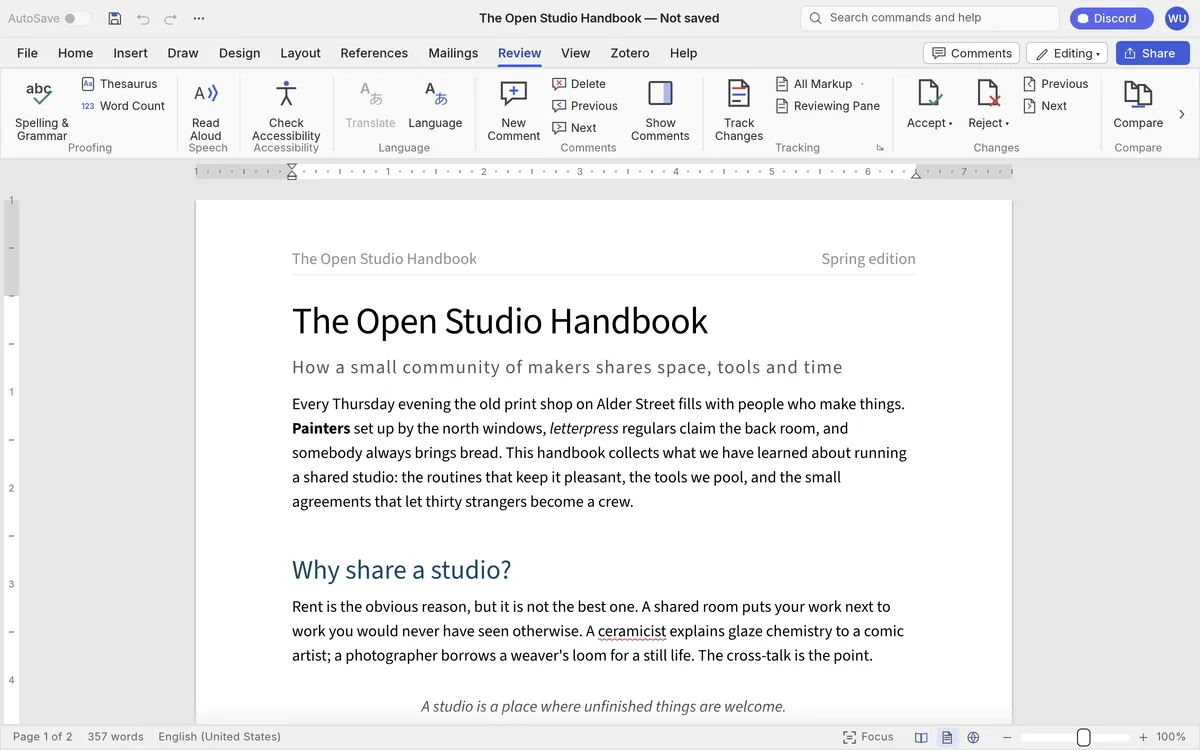
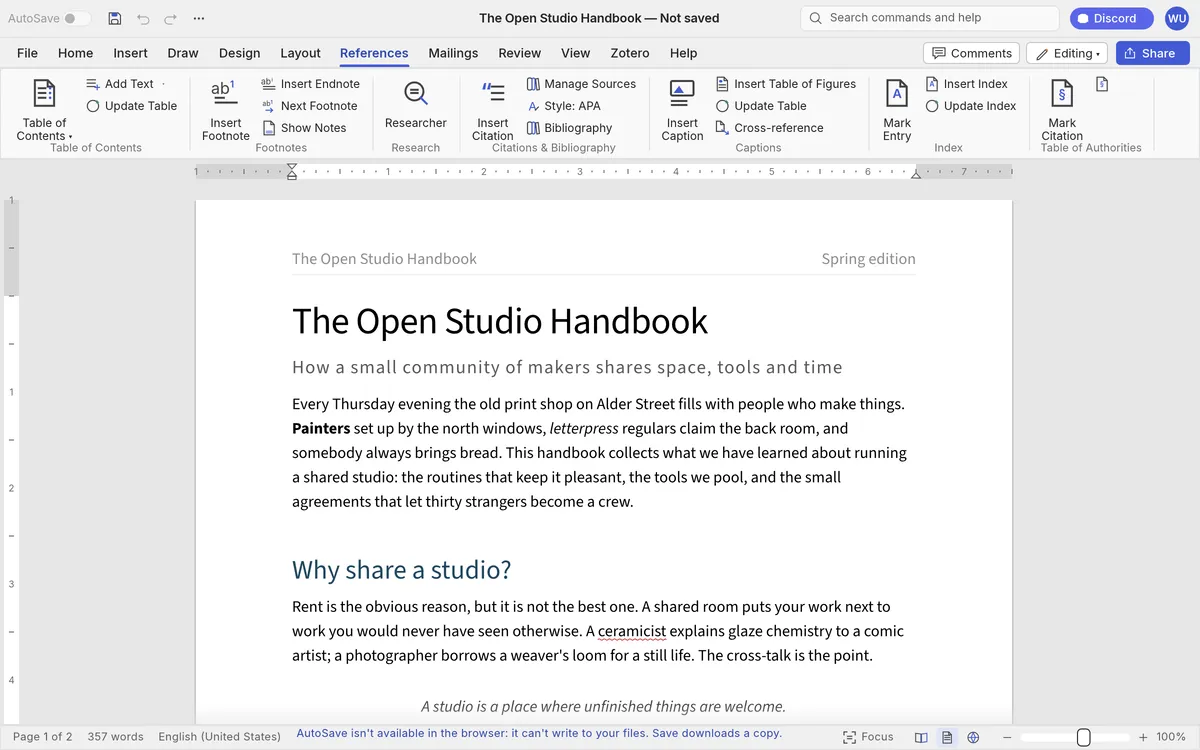
Longer documents are where WordCraft surprises. It has styles and themes, multilevel lists, tables with header rows repeated across pages, section breaks, headers and footers, page numbers and watermarks. The References tab offers a table of contents, footnotes and endnotes, citations and a bibliography in APA, MLA, Chicago or IEEE style, captions, cross-references and an index.
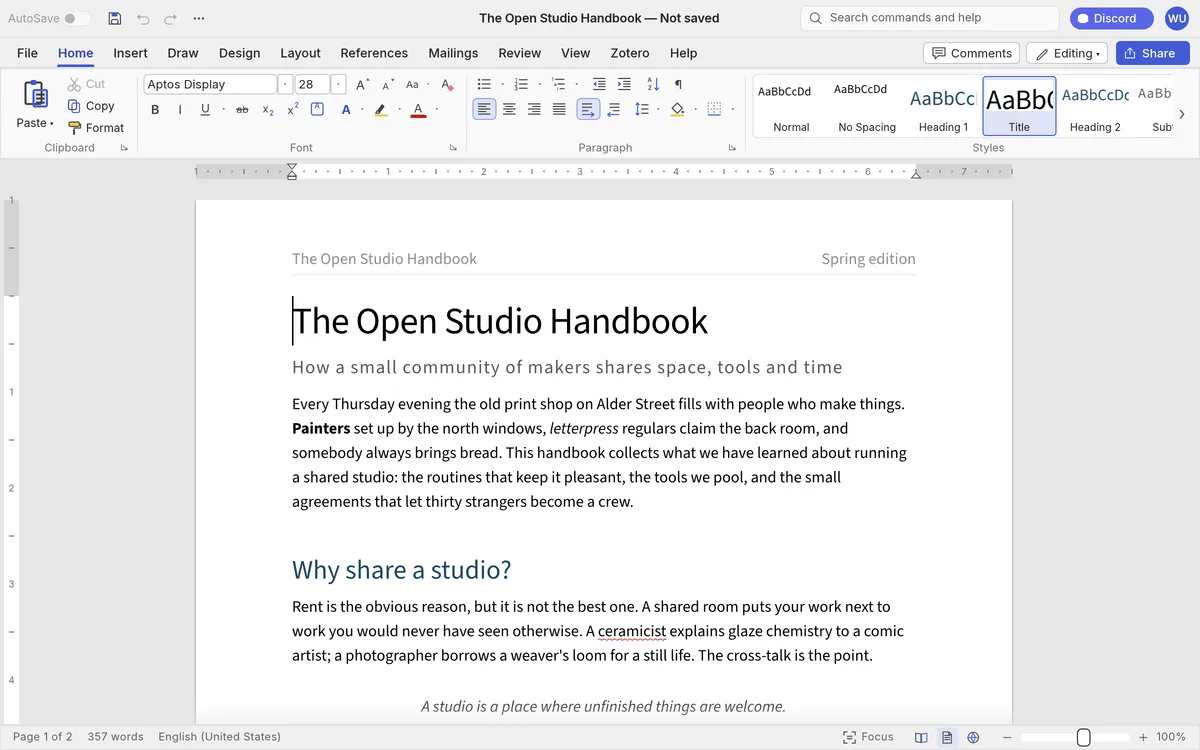
Review tools include spelling and grammar that work offline, a thesaurus, comments, track changes with accept and reject, document compare and an accessibility checker. Mail merge reads CSV files and can produce envelopes and labels. In our test of the WordCraft web build, a .docx made with macOS TextEdit opened with its paragraphs intact, and the sample handbook showed the full ribbon.
How to use WordCraft online: your first document
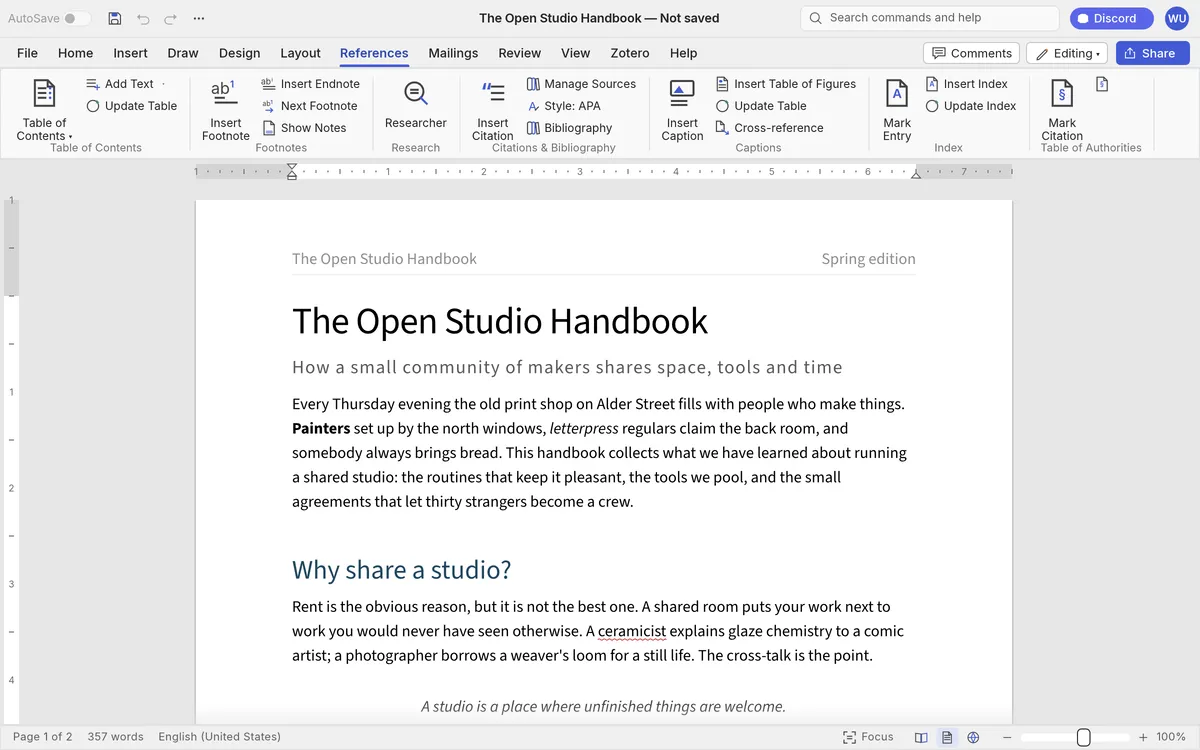
The quickest way to try WordCraft is our hosted copy of the official web build, a free docx editor online with no account. Click the button at the top of this page or open WordCraft online. The first visit downloads about 15 MB, then the editor opens in a new tab with a blank document. WordCraft online works best in desktop Chrome or Edge.
Step 1: type a title, then pick Title in the Styles gallery on the Home tab. Step 2: write a paragraph, select a word and press Ctrl+B or ⌘+B to make it bold. Step 3: to edit an existing file, choose File, then Open, then Browse, and pick a .docx from your computer. In our test, WordCraft first asked whether to keep the unsaved blank document, then opened the file.
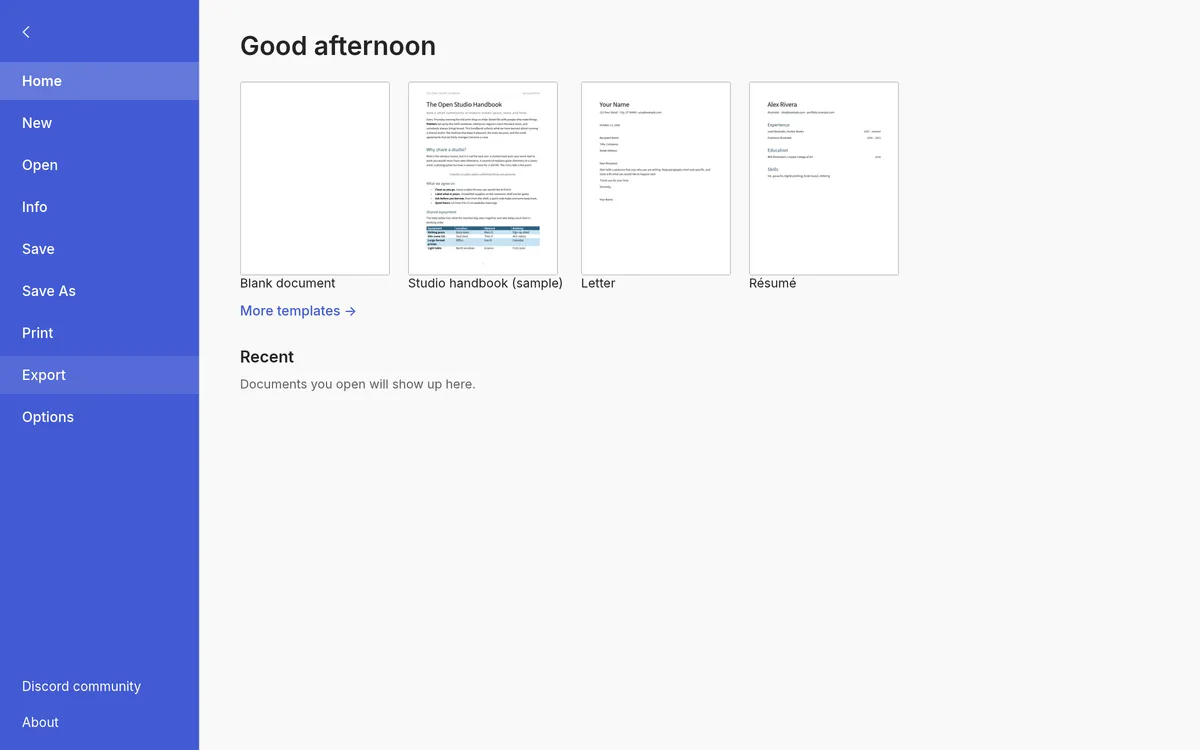
Step 4: choose File, then Export, then PDF document. WordCraft builds the PDF in your browser and hands it to you as a download; our test file came out as an 11.6 KB PDF with selectable text. Need to merge or sign that PDF next? Our PdfCraft guide covers the ArtCraft PDF app. Save works the same way: it downloads a .docx copy, because the browser cannot write over your original file.
WordCraft download: Windows, Mac, Linux and the web
Get every WordCraft download from the WordCraft releases on GitHub or the WordCraft page on getartcraft.com. WordCraft v0.5.0 was published on Oct 11, 2026, after v0.1.0 on Oct 7, v0.3.0 on Oct 8 and v0.4.0 on Oct 10.
On Windows there are MSI installers and portable zips for x64, ARM64 and 32-bit x86, and the installers are code-signed. On macOS there is one universal DMG, signed and notarized, plus a separate command-line tool. Linux users get AppImage, Flatpak, deb, rpm and tar.gz builds for x86_64 and ARM64, plus a RISC-V tarball, and FreeBSD has its own tarball.
The web build is a static site zip; that is the file PSDraw hosts, unchanged. Every release includes SHA256SUMS.txt, so compare the checksum before you install, and skip sites that offer repackaged installers. Our ArtCraft download guide walks through the checksum step for every ArtCraft app.
WordCraft on GitHub
The WordCraft GitHub repository is github.com/storytold/wordcraft, under the same storytold account as PhotoCraft and the other ArtCraft apps. It was created on Oct 7, 2026, and by Oct 12 it had about 7,600 stars and 2,000 forks. Stars measure attention, not quality, but that many forks means a lot of developers are reading the github wordcraft code.
The code is offered under your choice of MIT or Apache-2.0. The ArtCraft name and logo are trademarks outside that license, so a published fork must rename itself; our ArtCraft open source guide explains the rule. The README says the project runs about 800 automated tests and splits the code into layers, from the document model up to the interface.
WordCraft on GitHub is also the place to report a .docx that opens wrongly. Issues and pull requests are open, and the project keeps a public list of where it falls short of Word. The ArtCraft GitHub guide lists every sibling repository with live star counts.
Known limitations of WordCraft
The WordCraft gap list is blunt. The biggest gap: .docx support has never been tested against a corpus of real files from Word, Google Docs, LibreOffice and Pages. Ink and drawing canvases are dropped when a file opens and lost on save. Pagination differs from Word, partly because Word’s default Aptos font has no metric-matched substitute.
Other gaps matter day to day. Move tracking and content controls are lost. There is no print dialog of its own; the web build prints through the browser. Proofing works in English only. Password-protected files cannot be opened. Charts and SmartArt are drawn but cannot be edited, .doc files can be read but not written, and mail merge takes only CSV files and typed lists. There are no VBA macros, add-ins, cloud storage or real-time co-authoring.
Two limits are specific to WordCraft online. AutoSave is off, because the browser cannot write to your files, so Save downloads a copy. And WordCraft is built for desktop: on a phone it may be slow or not open at all. Keep your originals until WordCraft reaches beta.
Not the Google Wordcraft AI writing tool
Before Oct 7, 2026, Wordcraft mostly meant something else. Google’s PAIR research team described Wordcraft in a 2021 paper as an editor that helps writers draft short stories with a large language model. Its code is on GitHub as PAIR-code/wordcraft, described as an AI-powered text editor with an emphasis on short story writing.
That project is a research prototype for creative writing with AI. ArtCraft’s WordCraft is a different thing: a Word replacement with no built-in AI writer, and its gap list says a Copilot-style assistant to draft, rewrite and summarize is not there yet. So if you searched for wordcraft ai, you probably want Google’s project; if you want a free word processor that works like Word, you are on the right page. The name is also used by word games and spelling apps, none of them connected to ArtCraft.
A quick check: the ArtCraft app lives under github.com/storytold and mentions Microsoft Word and Rust in its description. Anything else called Wordcraft is a separate product.
FAQ
Is WordCraft free?
Yes. WordCraft costs nothing and its code is MIT or Apache-2.0, so you can use it at work too. The ArtCraft name and logo are not part of that license.
Can I use WordCraft online without installing it?
Yes. The official web build runs in your browser. Use the button at the top of this page to open our hosted copy; the first visit downloads about 15 MB.
Does WordCraft open and save .docx files?
Yes. It reads and writes .docx, and it also opens .odt, .rtf, .html, .md, .tex, .txt and old .doc files. Fidelity on complex real-world files is still untested, so keep a backup.
Is WordCraft an AI writing tool?
No. ArtCraft’s WordCraft is a word processor without a built-in AI writer, though AI agents can drive it through its MCP server. Google’s Wordcraft is the AI story-writing project.
Is WordCraft made by Microsoft?
No. WordCraft is an independent clean-room project from the ArtCraft team. Its README says it is not affiliated with, sponsored by or endorsed by Microsoft.
Are my documents uploaded when I use WordCraft online?
No. In our test on Oct 12, 2026, opening, editing and exporting a .docx in the same official build we host sent no upload request; the only network traffic was the app’s own files. Exports arrive as browser downloads.
Is WordCraft safe to download?
Download it only from the storytold GitHub releases or getartcraft.com, and check the file against SHA256SUMS.txt. The Windows installers are code-signed and the Mac app is notarized.
WordCraft is a serious new free Microsoft Word alternative, but it is still alpha. Open WordCraft online to try it in a minute, use it for drafts and PDFs, and keep Word nearby for macros, charts and shared files.
More ArtCraft guides
- ArtCraft vs AdobeArtCraft rebuilt Photoshop, Illustrator, Lightroom, Premiere and more as free open-source…
- Adobe CloneA developer used AI to clone seven Adobe apps as free open-source software. What the Adob…
- PhotoCraftPhotoCraft is ArtCraft's free, open-source Photoshop alternative. What it can do, how to…
- VectorCraftVectorCraft is ArtCraft's open-source Illustrator alternative built in Rust. Supported fi…
- LightCraftLightCraft is ArtCraft's open-source Lightroom alternative on GitHub. Supported RAW forma…
- PdfCraftPdfCraft is ArtCraft's free, open-source Acrobat alternative built in Rust. What it can d…
- EffectCraftRun EffectCraft, ArtCraft's free open-source After Effects alternative, in your browser.…
- FilmCraftTry FilmCraft, ArtCraft's free open-source Premiere Pro alternative, in your browser. Wha…
- GitHub ReposAll ArtCraft repositories on GitHub in one place — PhotoCraft, VectorCraft, LightCraft an…
- DownloadWhere to download ArtCraft safely: getartcraft.com, the ArtCraft Launcher, and GitHub rel…
- AlternativesLooking beyond ArtCraft? Compare the best free and paid alternatives for photo editing, v…
- Is It Open Source?Is ArtCraft really open source and free? What the MIT and Apache-2.0 licenses allow, the…
- Reddit ReviewsWhat Reddit says about ArtCraft and PhotoCraft: the praise, the doubts about AI-written c…
This page is an independent guide by PSDraw and is not affiliated with or endorsed by the ArtCraft Team or Adobe Inc. "ArtCraft" is a trademark of the ArtCraft Team.