SolidCraft vs Fusion 360: Which Parametric CAD Fits Your Work
Unofficial guide · Updated Oct 18, 2026 · 9 min read
TL;DR
SolidCraft vs Fusion 360 comes down to where your work stops: SolidCraft is free, local and exports STEP, while Fusion 360 carries CAM, simulation, drawings and cloud review.
- SolidCraft is MIT or Apache-2.0 with no seat and no cloud; Fusion 360 commercial work needs a subscription.
- Fusion 360 is the only one of the two with CAM toolpaths, simulation studies and drawing sheets.
- Both exchange STEP, so a part can move either way — the difference is what you lose after the import.
As of Oct 18, 2026
Question: Licence
SolidCraft: MIT or Apache-2.0
Fusion 360: Subscription for commercial use
Question: Runs offline
SolidCraft: Yes
Fusion 360: Limited, cloud-first
Question: CAM toolpaths
SolidCraft: No
Fusion 360: Yes
Question: Drawing sheets
SolidCraft: No
Fusion 360: Yes
Question: STEP export
SolidCraft: AP242
Fusion 360: Yes
The catch: a free licence does not buy you a manufacturing workflow. If a part has to become a toolpath, a drawing or a simulation result, SolidCraft hands you a STEP file and stops.
https://github.com/tangency-labs/solidcraft
Verdict: Start with SolidCraft for modelling, students and workshops that own their files; pay for Fusion 360 when CAM, simulation or a shared cloud review is part of the job.
SolidCraft vs Fusion 360 is the comparison that decides whether a free parametric CAD app is enough. SolidCraft is the open-source Rust modeller from Tangency Labs: MIT or Apache-2.0, a local design file, a browser build and an MCP server. Fusion 360 is Autodesk’s cloud CAD suite, with CAM, simulation, drawings and collaboration built around the model. They overlap on sketching, parametric features and STEP export, and they diverge immediately after that. This comparison uses the SolidCraft v0.15.0 repository and Autodesk’s published plan and feature pages, both read on Oct 18, 2026, and it marks what each one documents rather than what a demo suggests. If you arrived from a solidcraft fusion 360 search without the “vs”, this is the same question, and the answer does not change.
SolidCraft vs Fusion 360 at a glance
The short version: SolidCraft CAD is a modeller you own, and Fusion 360 is a product development suite you rent. SolidCraft covers sketches, constraints, a parametric feature timeline, assemblies and a wide export list, and a solidcraft vs fusion 360 comparison on price alone understates how much that covers. Fusion 360 covers the same modelling ground and then continues into CAM, simulation, drawing creation, cloud versioning and review, which is where most of its value sits for a company.
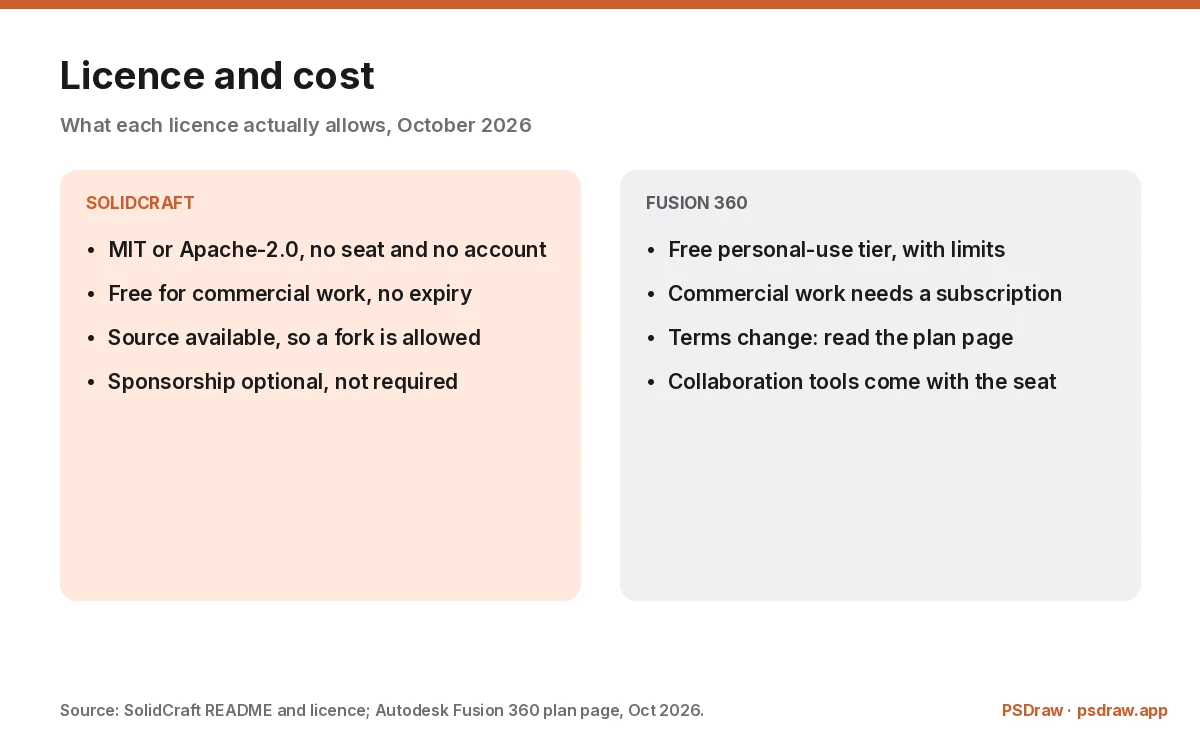
The price difference between SolidCraft and Fusion 360 is the headline, and it is real. SolidCraft is MIT or Apache-2.0, so it costs nothing for any use, including commercial work, and there is no seat to renew. Fusion 360 has a free personal-use licence with limits and a paid subscription for commercial work, which makes it a fusion 360 alternative only in the sense that SolidCraft replaces the modelling part of the subscription. For a student or a hobbyist the practical difference is small; for a workshop with three seats it is the whole decision.
The control difference matters as much as the price. A SolidCraft design is a file on your disk, and the SolidCraft app works offline. A Fusion 360 design lives in Autodesk’s cloud, with a local cache, and collaboration happens through that account. Neither model is wrong, and they suit different jobs. Pick the one whose failure mode you can live with, and read the SolidCraft guide before you install either.
Licence and cost: MIT versus a subscription
SolidCraft’s licence is MIT or Apache-2.0 at your option, with the clean-room contribution rules documented in the repository. That means you can use SolidCraft commercially, modify it, and ship a product built on it, as long as you keep the notices. For anyone comparing a free fusion 360 alternative, this is the part that is genuinely free rather than free-with-a-catch. There is no account, no seat count and no expiry. Sponsorship is optional.
Fusion 360 is licensed as a subscription for commercial use. Autodesk also offers a free personal-use tier with limits on what it permits and how many designs stay editable, and the exact terms change, so read the current plan page before you assume a free seat covers business work. The paid tier is what unlocks the commercial terms and the collaboration features a team needs, and it is also what a fusion 360 vs solidcraft comparison has to weigh against the free licence.
This is where a SolidCraft vs Fusion 360 comparison usually stops, and it should not. A free licence that cannot produce a drawing is not cheaper for a company that needs drawings; it is a second tool to buy. The honest calculation adds up the tools you still need after the modeller, not just the modeller’s price.
Checked by the PSDraw team on Oct 18, 2026 against the SolidCraft v0.15.0 README and release assets, and Autodesk’s published Fusion 360 plan and feature pages.
Modelling: what each one can build
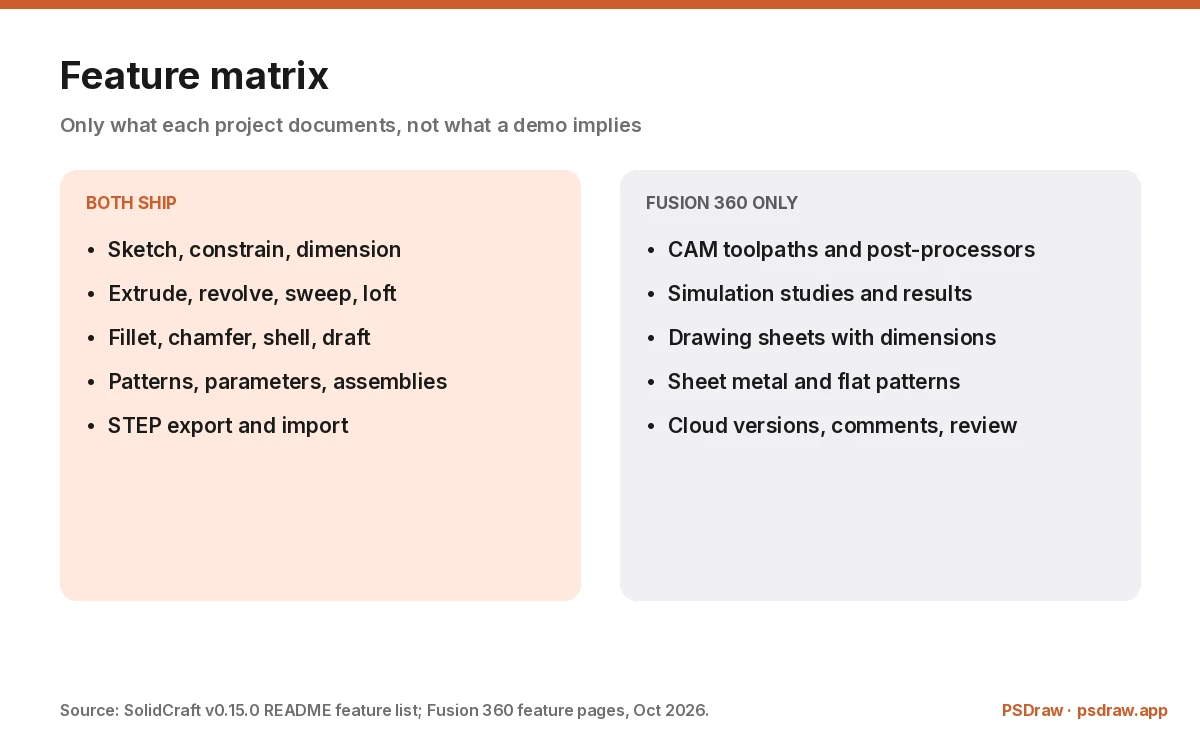
The SolidCraft CAD modelling set is deeper than its age suggests. Sketches sit on origin planes, offset planes or planar faces, with construction geometry, projection, trimming, fillets, chamfers and a full constraint solver written by the project. Features include extrude, revolve, sweep, loft, fillet and chamfer, shell, draft, holes, threads, patterns, mirrored copies, split and combine, all on an incremental timeline with parameters and configurations.
Fusion 360 covers the same ground and adds surface modelling, sheet metal, generative design extensions, mesh conversion and a much larger ecosystem of add-ins. Its timeline and parameter system are mature, and its direct-modelling tools handle imported geometry that a parametric tree cannot fix. For production parts with sheet-metal rules or complex surfaces, Fusion 360 is the broader tool.
The practical test for SolidCraft vs Fusion 360 is the part you actually need to build. A bracket, an enclosure, a jig or a replacement knob is comfortable in SolidCraft, and the SolidCraft feature list covers the tools behind that. A sheet-metal chassis with a flat pattern, or a surface-heavy consumer product, is not. SolidCraft’s own reference part — a Raspberry Pi 4 case with fillets, shell, patterned standoffs, cut-outs and engraved text — is a fair picture of its comfort zone.
Files: local design files versus cloud documents
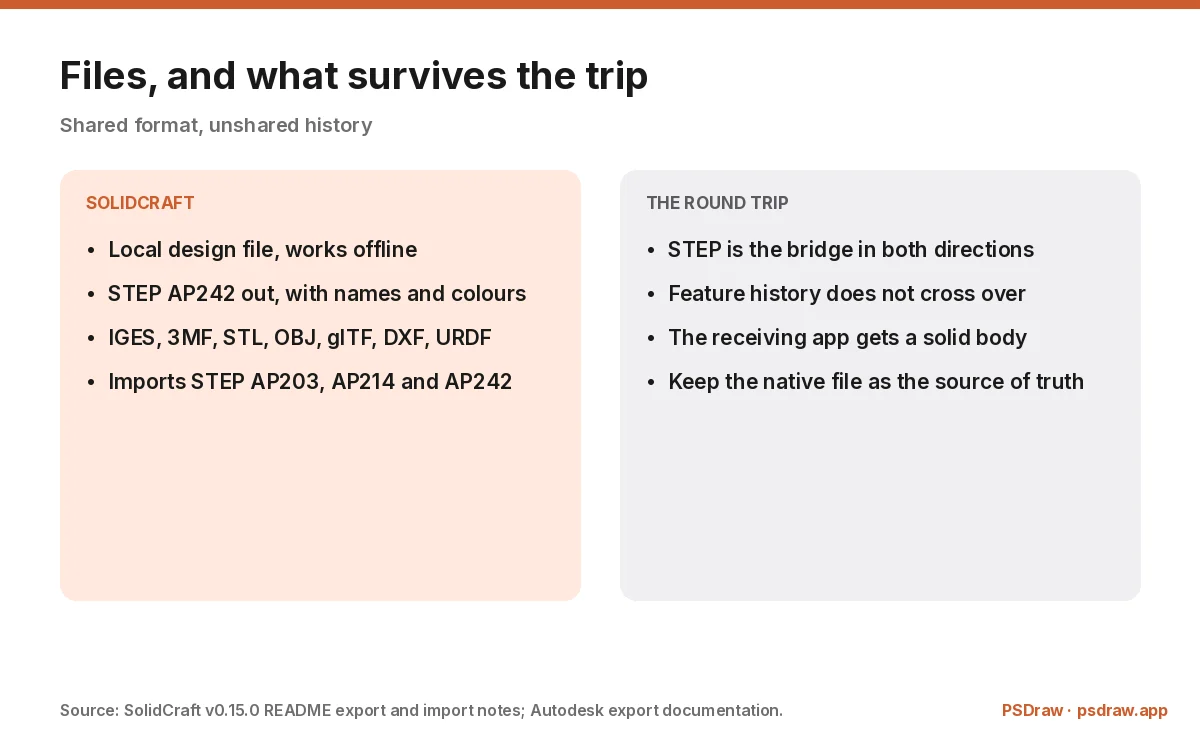
SolidCraft saves a local design file, with SolidCraft 0.15.0 moving to file format 26 while designs from every earlier version still open. Export covers STEP AP242 with body names, colours and components as assemblies, IGES 5.3, 3MF, binary and ASCII STL, OBJ, glTF, current-view DXF and URDF for assemblies with joints. Import covers STEP AP203, AP214 and AP242, IGES and mesh formats.
Fusion 360 keeps designs as cloud documents with a local cache, and exports STEP, IGES, STL, OBJ, 3MF and DXF depending on the workspace. The STEP output is production-grade, which is why the format is the bridge between the two tools. A SolidCraft part can go to Fusion 360 as STEP, and a Fusion 360 part can come back the same way, which is the cheapest SolidCraft vs Fusion 360 interoperability story available.
What does not survive the SolidCraft vs Fusion 360 round trip is history. A STEP file carries geometry, names and colours, not the feature tree, so the receiving app gets a solid body rather than an editable timeline. Both tools can work with that, and neither can rebuild the other’s parameters. If a design has to move back and forth often, keep the native file as the source of truth and treat STEP as the handoff.
CAM, simulation and drawings
This is the section where SolidCraft has nothing to compare, and the SolidCraft documentation does not pretend otherwise. Fusion 360 includes CAM with toolpath strategies, simulation studies for stress and thermal questions, and a drawing workspace that produces dimensioned sheets. Those are separate products in most CAD stacks, and having them in one subscription is the reason workshops pay for it.
The SolidCraft answer is deliberate: export the SolidCraft model and use another tool. A SolidCraft STEP AP242 export goes to a CAM package, a simulation solver or a drawing tool, and SolidCraft DXF covers the current view when you need a 2D handoff. That is a normal workflow in open-source engineering, and it means the free licence is the beginning of a toolchain rather than the whole of one.
For a hobbyist printing parts at home, SolidCraft vs Fusion 360 is not a close question: the slicer takes an STL or 3MF and the job is done. For anyone selling machined parts, the missing CAM is the line item that decides the comparison, and no amount of free licensing changes it.
Collaboration, support and the team question
Fusion 360 is built around a shared cloud workspace, while SolidCraft is built around a file you own: version history, comments, review links and a team that can open the same document without a file server. Autodesk also sells support and training, and there is a hiring pool that already knows the tool. That is the part a free app cannot copy quickly.
SolidCraft CAD collaborates through GitHub and Discord: issues, pull requests, a roadmap and a release every few days. That works well for a solo designer or a small team that already lives in Git, and it is thin for a company that needs a support contract. The MCP server is a different kind of collaboration — an agent can model inside the same session — and it is genuinely new.
The table under this heading marks the rows each project documents. Where Fusion 360 has a capability SolidCraft does not ship, the row is a miss rather than a promise. Where SolidCraft is different in kind — the licence, the local file, the agent interface — the row is a win. The scores are a map, not a verdict.
How to move a design between SolidCraft and Fusion 360
Moving a SolidCraft design into Fusion 360 starts with a STEP AP242 export from SolidCraft. In Fusion 360, insert the STEP as a new design or into an existing one, then decide whether you need to rebuild the feature tree or work with the imported body. For a bracket or an enclosure, direct editing on the solid is usually faster than rebuilding every sketch.
Moving the other way, fusion 360 vs solidcraft in the other direction, is the same operation in reverse: export STEP from Fusion 360 and open it in SolidCraft, which imports AP203, AP214 and AP242 solids with assemblies, units, names and colours. Mesh formats such as 3MF, STL, OBJ and glTF arrive as mesh bodies, which render and measure but do not become parametric features.
Plan the SolidCraft rebuild either way. A translated solid has no timeline, and a parametric model without its history is a sculpture. If the design will keep changing in the other tool, budget an hour to rebuild the features that matter and keep the STEP as a reference. That is the same advice any CAD migration gets, and it is the honest cost of switching.
Who should use which, and when a Fusion 360 alternative is enough
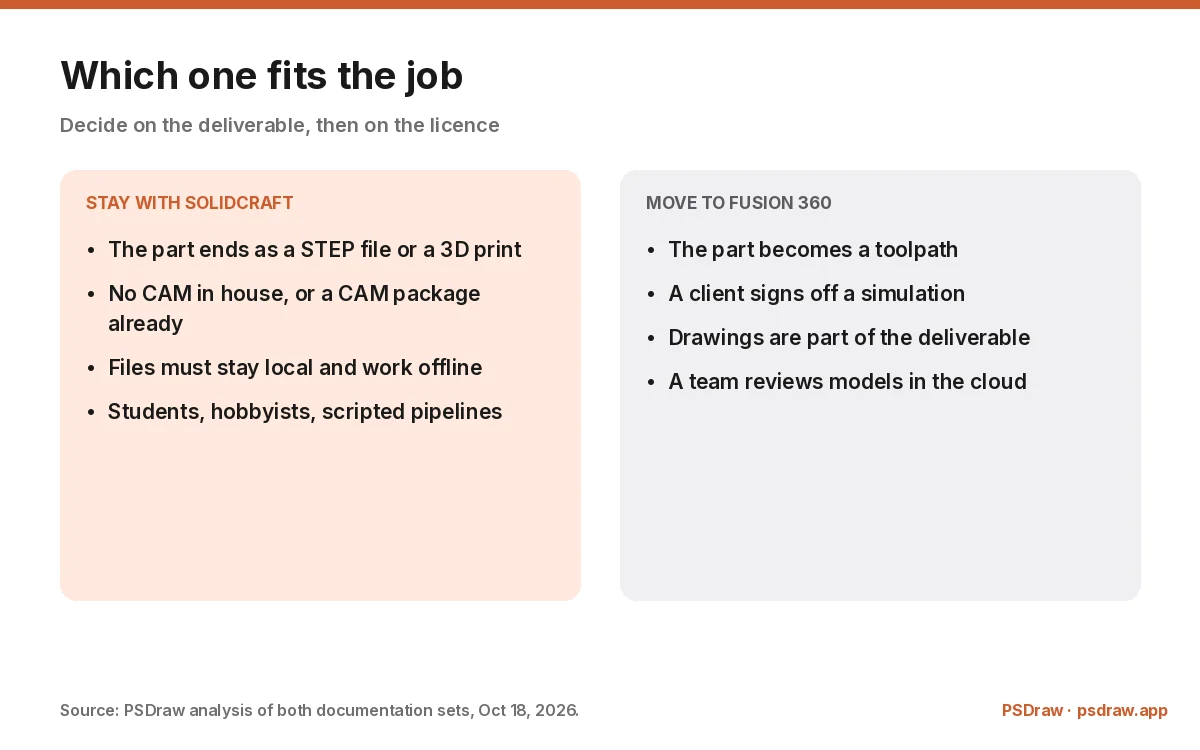
Use SolidCraft if you are a student, a hobbyist, a workshop that owns its machines, or a developer who wants CAD inside a script. Use SolidCraft CAD if the alternative is not buying a subscription at all. Use it if your deliverable is a STEP file, a 3D print or a design you want in a git repository. Use it if the licence question matters — a startup that cannot add another subscription can model in SolidCraft and export to whoever machines the part.
Use Fusion 360 if your deliverable is a manufactured part with toolpaths, a drawing set that a shop reads, or a simulation result that a client signs off. Use it if your team shares models daily and needs comments, versions and permissions rather than a file server. The subscription buys the parts of the workflow that a modeller alone does not cover.
The common answer to SolidCraft vs Fusion 360 is both, with STEP as the bridge, and the CADCraft guide covers the 2D drafting tool for shops that still need drawings: model in SolidCraft, export, and keep Fusion 360 for the manufacturing and review steps. That is not a compromise, it is how mixed shops already work. What matters is knowing which tool owns the source of truth for each design, so a change never gets made twice in two places.
FAQ
Is SolidCraft really free compared with Fusion 360?
Yes. SolidCraft is MIT or Apache-2.0 with no seat, no account and no expiry, so commercial use costs nothing. Fusion 360 has a free personal-use tier with limits and a paid subscription for commercial work. The free licence does not include CAM or drawing sheets, so the total cost depends on what else your workflow needs.
Can SolidCraft open a Fusion 360 file?
Not the native cloud document. Export STEP from Fusion 360 — AP203, AP214 or AP242 — and SolidCraft imports it with solids, assemblies, units, names and colours. The feature history does not come across, so a translated model arrives as a body you can edit directly rather than a timeline you can rebuild.
Does SolidCraft have CAM or simulation?
No. SolidCraft is a modeller: sketches, features, assemblies and exchange formats. It exports STEP, IGES, 3MF, STL, OBJ, glTF and DXF so another package can do the toolpaths or the study. Fusion 360 includes CAM and simulation in the subscription, which is one of the reasons teams pay for it.
Is Fusion 360 free for personal use?
Autodesk offers a free personal-use licence with limits on commercial use and on how many designs stay editable, and the terms change over time. Read the current plan page before relying on it for paid work. A commercial subscription is what covers business use and the collaboration features a team needs.
Which is better for a small workshop?
It depends on whether the workshop machines the parts. If a CAM package already exists, SolidCraft plus STEP covers the modelling for free. If the workshop wants CAD, toolpaths and drawings in one subscription with support, Fusion 360 is the shorter path. Many small shops end up with both and treat STEP as the handoff.
SolidCraft vs Fusion 360 is not a contest between a free tool and a paid one; it is a contest between a modeller and a product development suite. SolidCraft wins on licence, local files, browser access and STEP export, and it stops at the edge of manufacturing. Fusion 360 wins wherever CAM, simulation, drawings or cloud review are part of the job. Choose the workflow first, then the licence.
More ArtCraft guides
- ArtCraft vs AdobeArtCraft rebuilt Photoshop, Illustrator, Lightroom, Premiere and more as free open-source…
- Adobe CloneA developer used AI to clone seven Adobe apps as free open-source software. What the Adob…
- PhotoCraftPhotoCraft is ArtCraft's free, open-source Photoshop alternative. What it can do, how to…
- PhotoCraft ReviewA hands-on PhotoCraft review: what the free ArtCraft Photoshop clone does well, where it…
- PhotoCraft DownloadEvery PhotoCraft download in one place: the Windows MSI, the universal Mac DMG, Linux pac…
- VectorCraftVectorCraft is ArtCraft's open-source Illustrator alternative built in Rust. Supported fi…
- LightCraftLightCraft is ArtCraft's open-source Lightroom alternative on GitHub. Supported RAW forma…
- PdfCraftPdfCraft is ArtCraft's free, open-source Acrobat alternative built in Rust. What it can d…
- WordCraftOpen WordCraft, ArtCraft's free open-source Microsoft Word alternative, right in your bro…
- EffectCraftRun EffectCraft, ArtCraft's free open-source After Effects alternative, in your browser.…
- FilmCraftTry FilmCraft, ArtCraft's free open-source Premiere Pro alternative, in your browser. Wha…
- GridCraftOpen GridCraft, ArtCraft's free open-source Excel alternative, in your browser. Native XL…
- DeckCraftRun DeckCraft, ArtCraft's free open-source PowerPoint alternative, in your browser. Build…
- CADCraftTry CADCraft, ArtCraft's free open-source AutoCAD alternative, in your browser. Command-l…
- SolidCraftSolidCraft is a free, open-source parametric CAD app in Rust. Where the GitHub repo is, h…
- DesignCraftOpen DesignCraft, ArtCraft's free open-source InDesign alternative, in your browser. Page…
- SoundCraftTry SoundCraft, ArtCraft's free open-source Pro Tools alternative, in your browser. Recor…
- FigCraftOpen FigCraft, ArtCraft's free open-source Figma alternative, in your browser. Interface…
- ArtCraft MCPEvery Crafting App ships an MCP server in its CLI. Set up one client config for Claude, C…
- GitHub ReposAll ArtCraft repositories on GitHub in one place — PhotoCraft, VectorCraft, LightCraft an…
- DownloadWhere to download ArtCraft safely: getartcraft.com, the ArtCraft Launcher, and GitHub rel…
- LauncherWhat the ArtCraft Launcher does, where to download it, how it installs each Craft app, an…
- AlternativesLooking beyond ArtCraft? Compare the best free and paid alternatives for photo editing, v…
- Is It Open Source?Is ArtCraft really open source and free? What the MIT and Apache-2.0 licenses allow, the…
- Reddit ReviewsWhat Reddit says about ArtCraft and PhotoCraft: the praise, the doubts about AI-written c…
This page is an independent guide by PSDraw and is not affiliated with or endorsed by the ArtCraft Team or Adobe Inc. "ArtCraft" is a trademark of the ArtCraft Team.