PhotoCraft Download: Every Installer, Verified
Unofficial guide · Updated Oct 18, 2026 · 9 min read
PhotoCraft is built for desktop. On a phone it may be slow or not open at all.
Open PhotoCraft in your browser
Free, no account, no install. PhotoCraft runs on your device, so your files stay on your computer.
PhotoCraft is built for desktop. On a phone it may be slow or not open at all.
First load downloads about 11 MB. Works best in desktop Chrome or Edge.
PSDraw hosts the unmodified PhotoCraft 0.10.0 web build by the ArtCraft team (MIT or Apache-2.0). Not made or endorsed by the ArtCraft team. License · Source on GitHub
TL;DR
The PhotoCraft download is a signed desktop installer, not a store app: v0.10.0 published MSI, DMG, AppImage, deb, rpm and Flatpak packages on Oct 18, 2026, plus a web build you can open here.
- Windows gets signed MSI files and portable zips; macOS gets one universal, notarised DMG.
- Every release ships SHA256SUMS.txt, and the PhotoCraft installer is the same file the project published.
- The web build is about 11 MB, reads your file locally, and needs no PhotoCraft download at all.
As of Oct 18, 2026
Platform: Windows
Main file: MSI or portable zip
Approximate size: 65–85 MB
Platform: macOS
Main file: Universal DMG
Approximate size: 92 MB
Platform: Linux
Main file: AppImage, deb, rpm, Flatpak
Approximate size: 57–84 MB
Platform: Browser
Main file: Web build zip
Approximate size: 11.4 MB
Platform: Any platform
Main file: SHA256SUMS.txt
Approximate size: 2.6 KB
The catch: a PhotoCraft download proves you have the file the project published, not that the app is finished. Version 0.10.0 is still early alpha, and a checksum cannot promise that your file opens without a loss.
https://getartcraft.com/apps/photocraft
Verdict: Take the PhotoCraft download from GitHub Releases or getartcraft.com, check it against SHA256SUMS.txt, and keep the original PSD until the round-trip proves itself.
A PhotoCraft download is easy to find and easy to get wrong. The project publishes more than twenty files per release, several sites offer renamed builds, and the version number moves every few days, so the useful question is not “where is the link” but “which file am I supposed to take, and how do I know it is the real one.” This guide answers that for PhotoCraft v0.10.0, published on Oct 18, 2026: the package for each platform, the checksum step, the install path on Windows, macOS and Linux, and the browser build that needs no PhotoCraft download at all. PSDraw is not the publisher; the files come from the project.
PhotoCraft download: what you actually get
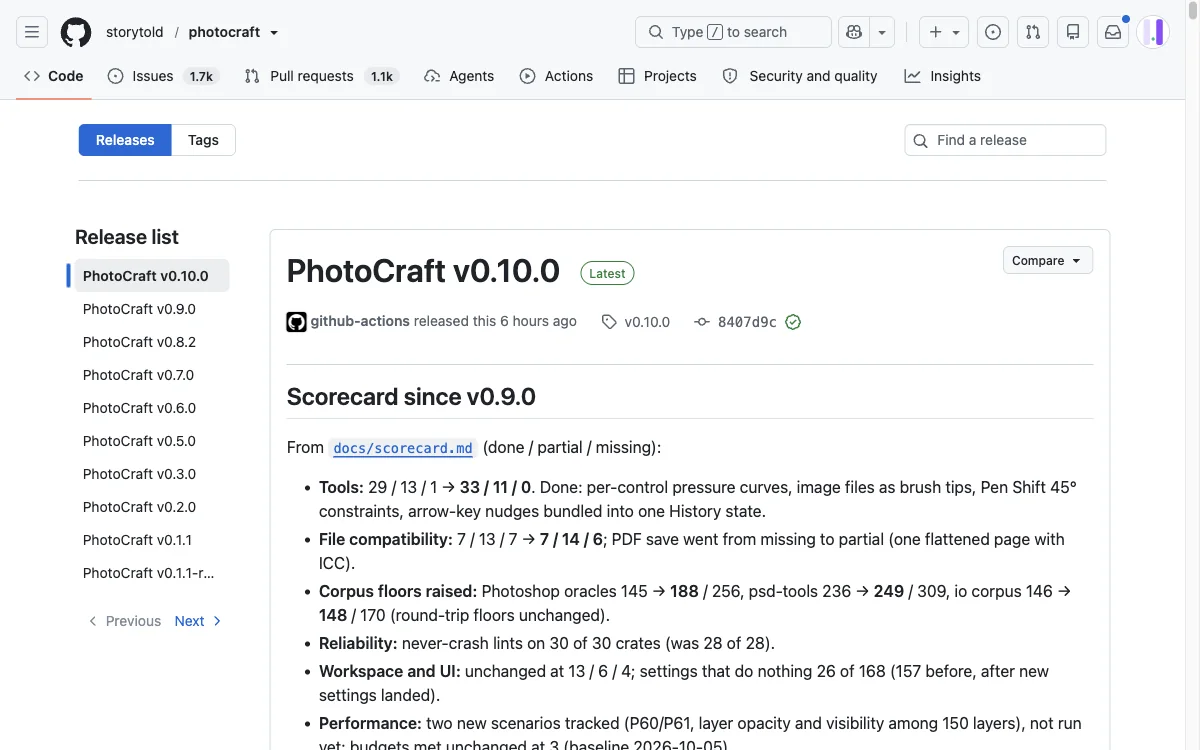
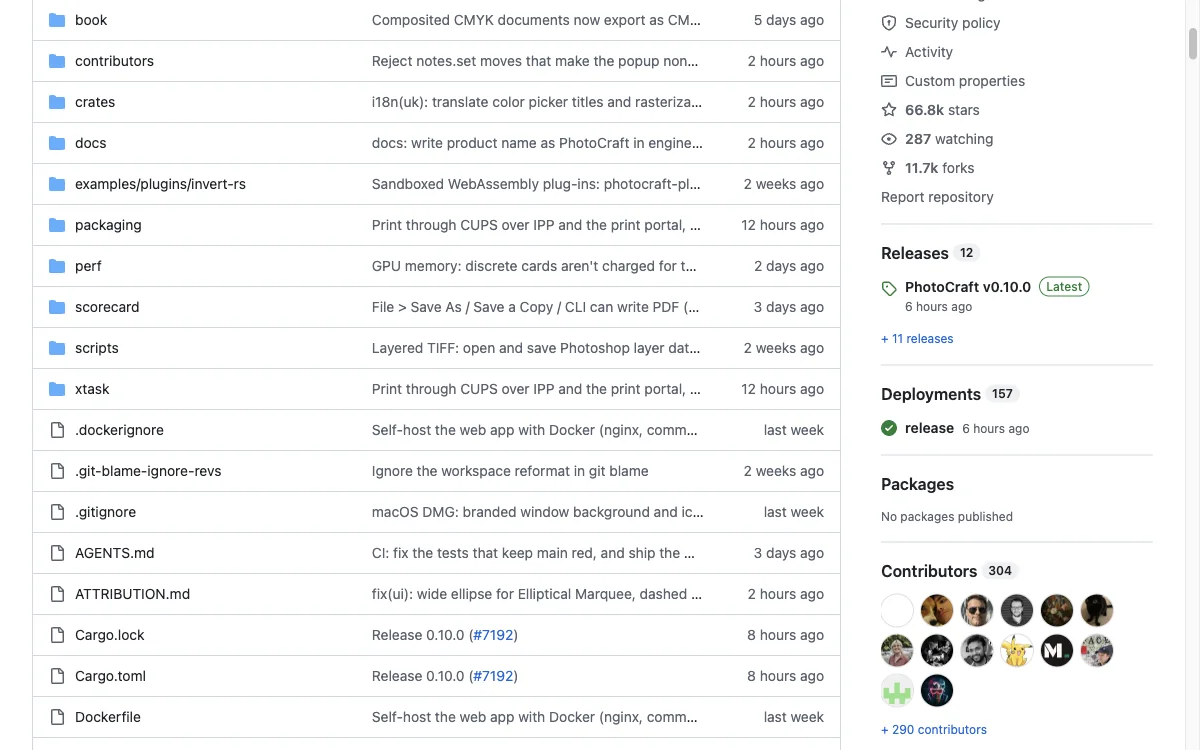
A PhotoCraft download is the project’s own release package, not a store listing. The v0.10.0 release carries twenty-four assets plus a checksum file: three Windows MSIs and three portable zips, one universal macOS DMG, Linux AppImage, deb, rpm, Flatpak and tar.gz builds for x64 and arm64, a FreeBSD tarball, a macOS CLI zip and the web build. Each file is an official artifact built by the project’s release pipeline.
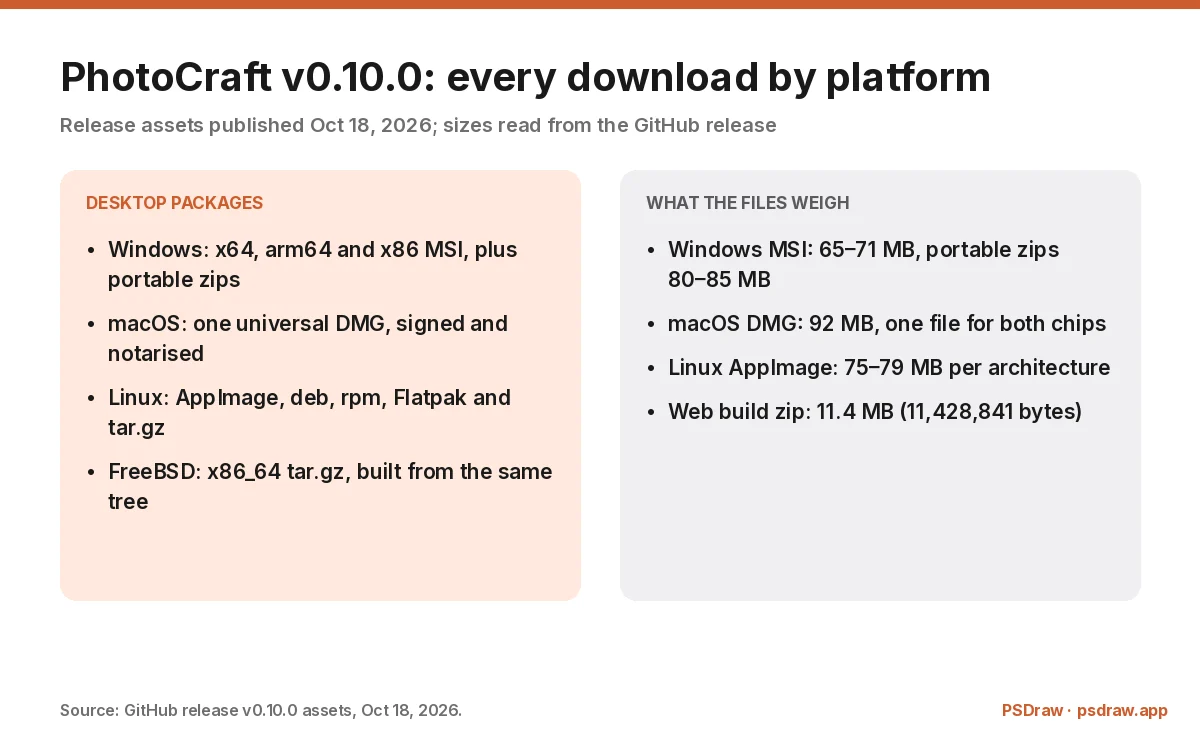
The PhotoCraft binaries are large because PhotoCraft is a native Rust application with a GPU compositor. The macOS DMG is about 92 MB, the Windows MSIs run from 65 to 71 MB, and the Linux AppImage sits around 75 to 79 MB. Portable zips are bigger than the MSIs because they carry their own runtime layout. None of that is bloat for its own sake: the editor ships with fonts, shaders and the code paths for 16-bit and 32-bit colour.
What you do not get is an auto-updater inside the PhotoCraft app. PhotoCraft does not phone home for updates, so a PhotoCraft download is a version you keep until you replace it. If you want to know how to download PhotoCraft without that trade, the answer is the launcher, not a newer build. The ArtCraft Launcher exists to automate that, and it uses the same release assets. If you want updates without checking a releases page, install the launcher and let it handle the download for you.
Checked by the PSDraw team on Oct 18, 2026 against the v0.10.0 release assets and the official PhotoCraft web build hosted on this site.
Pick your PhotoCraft download by platform
On Windows, choose by architecture first. The PhotoCraft x64 MSI is the normal choice, arm64 MSI is for Snapdragon-class machines, and x86 is there for older hardware. The portable zip is the same build without an installer, useful on a locked-down machine or a USB stick. A PhotoCraft Windows install should not require a store account, and it does not.
On macOS there is one PhotoCraft download: a universal DMG that covers Apple silicon and Intel. It is signed and notarised, which means Gatekeeper should accept it without the right-click workaround. If you are on an older macOS release, check the project’s minimum version before you start a 92 MB PhotoCraft download that will not launch.
On Linux, pick the PhotoCraft package by how you maintain the machine. Debian and Ubuntu users take the deb, Fedora and openSUSE users take the rpm, and anyone who wants isolation takes the Flatpak. The AppImage is the portable option, and the tar.gz is for people who build their own launchers. For a PhotoCraft Mac or Linux download, architecture matters as much as format: aarch64 builds exist for ARM servers and Apple-adjacent Linux machines, and riscv64 packages exist for the curious.
Verify the PhotoCraft download with SHA256SUMS.txt
Every PhotoCraft release ships a SHA256SUMS.txt file of about 2.6 KB, and the PhotoCraft download is only as trustworthy as that file. Download it next to the package, then run certutil -hashfile on Windows, shasum -a 256 on macOS, or sha256sum on Linux against the file you downloaded. Compare the output with the matching line in the checksum file. If the two strings differ, delete the file and download again from the release page.
A matching PhotoCraft hash means the bytes are the bytes the project published. It does not mean the code is safe, and it does not mean the app is stable; it means nobody swapped the file between the release and your disk. That is a narrower promise than antivirus marketing suggests, and it is the one that matters for an open-source download.
Where you got the PhotoCraft checksum matters too. Take SHA256SUMS.txt from the same release page as the package, not from a repost, a forum thread or a download site that offers its own “verified” copy. A checksum served by the same third party that serves the binary proves nothing. The release page is the only source this guide treats as authoritative.
Install PhotoCraft on Windows
Run the PhotoCraft MSI and Windows Installer handles the rest: a Start menu entry, an entry in Apps and features, and a normal uninstall path. SmartScreen may still warn about an unfamiliar publisher on a project this young, so check the file’s signature and the hash before you click through. If you took the portable zip, unpack it anywhere and run the executable; nothing is written to the registry.
The PhotoCraft installer does not bundle plugins or AI models, because PhotoCraft has neither. It also does not register a default file association for PSD in every build, so if double-clicking a PSD still opens Photoshop, set the association by hand. That is a preference, not a failure: plenty of people keep Photoshop as the default and open PhotoCraft deliberately.
Uninstalling PhotoCraft is the standard Windows path. Your files are not deleted, because PhotoCraft never owns your PSDs; it opens them and writes new ones when you save. If you keep presets, export them first, since an uninstall removes the application data folder alongside the program. The ArtCraft Launcher automates the same install and the same uninstall if you would rather not run MSIs by hand.
Install PhotoCraft on macOS
Open the DMG, drag PhotoCraft into Applications, and eject the disk image. The build is universal, signed and notarised, so the first launch should not need the Open Anyway dance. If macOS says the app is damaged, that usually means a quarantined download or an incomplete copy, not a broken release; check the hash and re-download before you change any security setting.
The PhotoCraft macOS build ships the same editor as Windows and Linux, with the same layers, masks and adjustment layers. The CLI zip on the release page is separate and only useful if you want to drive PhotoCraft from a script or an agent. Most people can ignore it, and a PhotoCraft download for normal use is the DMG.
Keep the DMG until the first save round-trips. Alpha software can fail on an unusual file, and having the installer beside you makes a reinstall a two-minute job rather than a re-download. That advice costs nothing and has saved more than one deadline.
Install PhotoCraft on Linux
Use the PhotoCraft deb on Debian and Ubuntu, the rpm on Fedora and openSUSE, and the Flatpak when you want the sandbox. The AppImage is the simplest portable route: make it executable and run it, with no package manager involved. The tar.gz is for people who prefer to place files by hand, and it is also the source of the Flatpak and AppImage builds.
Dependencies are the usual Linux variable. A minimal desktop may be missing a font package or a graphics library the GPU compositor expects, and the app will fail at launch rather than explain itself. Check the release notes and the repository issues before you conclude the build is broken; the same package usually works on a fuller desktop.
The FreeBSD tarball follows the same pattern with /usr/local as the target. If you are packaging PhotoCraft for a distribution, the tar.gz and the checksum file are what you want, and the licence allows redistribution as long as the notices travel with it and the ArtCraft marks do not.
PhotoCraft download for the browser
There is a PhotoCraft download that installs nothing: the PhotoCraft web build. The v0.10.0 release includes an 11.4 MB zip of the WebAssembly build, and this site hosts the official copy so you can open it in a tab. The first load is about 11 MB, after which the editor runs locally in the browser and your PSD never leaves the machine.
The PhotoCraft web build is the same editor compiled for the browser, not a demo. In our Oct 18, 2026 test it opened a 1,200 × 800 PSD with six layers, showed the group and its children in the layers panel, and reported an RGB / 8-bit document at 100%. Saving downloads a copy of the file, because a web page cannot overwrite your original.
Use the web build to test compatibility before you commit to an install, or on a machine where you cannot install software at all. Use the desktop build when you need the signed installers, the CLI or native performance on large files, and read the ArtCraft Photoshop guide for the feature list behind the editor. Neither path is a PhotoCraft download that costs money; both are free, and both are the project’s own code.
PhotoCraft download problems and fixes
The most common PhotoCraft download failure is a partial download. Large zips over a flaky connection can finish short, and the hash check is how you catch it. The second most common is the wrong architecture: an x64 MSI on an ARM Windows machine will run under emulation or fail outright, and the arm64 build is the right answer.
On macOS, a quarantined PhotoCraft DMG can produce a “damaged” warning that has nothing to do with the file. Check the hash first, then look at the quarantine attribute. On Linux, a missing library is more common than a corrupt package, and the terminal output usually names the library. On Windows, SmartScreen warnings are about publisher reputation, not malware, and the signature plus hash is the evidence to weigh.
If none of that explains it, read the PhotoCraft release notes for the version you downloaded. Alpha releases sometimes fix a packaging bug in the next build within a day, and the release notes say so plainly. Reporting a failure with the version, the platform and the exact file name is what makes the next fix possible.
Where not to download PhotoCraft
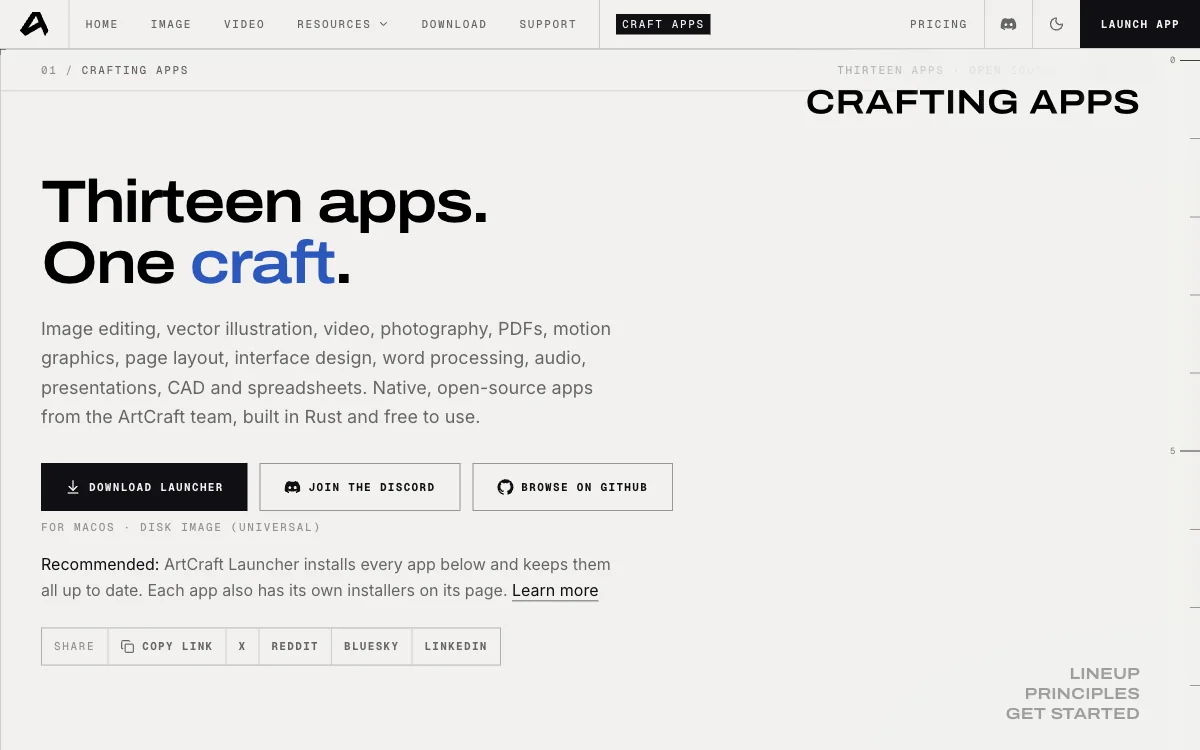
Do not take a PhotoCraft download from a page that renames the file, wraps it in its own installer, or hides the repository. Those sites usually monetise the PhotoCraft download with bundled software or ads, and a renamed build is no longer the PhotoCraft package the checksum covers. The official path is short: GitHub Releases, getartcraft.com, or the launcher.
Be careful with “PhotoCraft for Mac” landing pages that offer a direct link without a version number. A download page that cannot say which release it serves is not tracking the project, and PhotoCraft ships often enough that a stale repost is a real risk. The same applies to APK-style repackages, to any site offering a “cracked” build of a free app, and to pages that promise a PhotoCraft installer for a platform the project does not ship.
If you only need to open a PSD once, you do not need a PhotoCraft download at all: the PSD viewer on this site opens layered files in the browser and exports PNG. If you want the full PhotoCraft editor, the PhotoCraft review covers what it can and cannot do before you spend the bandwidth on the PhotoCraft download.
FAQ
How big is the PhotoCraft download?
The macOS DMG is about 92 MB, Windows MSIs run from 65 to 71 MB with portable zips at 80 to 85 MB, and Linux packages range from a 58 MB Flatpak to an 84 MB deb. The web build zip is 11.4 MB (11,428,841 bytes). Every release also ships a SHA256SUMS.txt of about 2.6 KB.
Which PhotoCraft download should I pick on a Mac?
There is only one: the universal DMG, which covers Apple silicon and Intel and is signed and notarised. You do not need to choose an architecture. If you also want the command-line interface, the separate CLI zip on the release page is the only other macOS file worth taking.
Do I need the PhotoCraft download if I use the web version?
No. The web build runs the same editor in a browser tab, reads your PSD locally and needs no install. Take the desktop download when you want the signed installers, the CLI, or better performance on large files. The web build is the faster way to test whether PhotoCraft opens your file at all.
How do I check a PhotoCraft download is genuine?
Download SHA256SUMS.txt from the same release page, hash the package with sha256sum, shasum -a 256 or certutil, and compare the strings. A match means the file is the one the project published. A mismatch means delete it and download again; never fix a mismatch by disabling a security warning.
Is the PhotoCraft download free?
Yes. PhotoCraft is MIT or Apache-2.0, so the installers and the source are free, with no account and no in-app purchase. The ArtCraft name and logo are excluded from the licence, so a fork has to drop the marks. ArtCraft AI is a separate paid product and not part of this download.
A PhotoCraft download is worth the 92 MB only if you check it and treat it as an alpha: take the file from the release page, match it against SHA256SUMS.txt, install the build for your platform, and keep the original PSD until a save round-trips cleanly. If all you need is a look at a layered file, skip the PhotoCraft download and open the PSD viewer instead. Either way, the file should come from the project, not from a page that renamed it.
More ArtCraft guides
- ArtCraft vs AdobeArtCraft rebuilt Photoshop, Illustrator, Lightroom, Premiere and more as free open-source…
- Adobe CloneA developer used AI to clone seven Adobe apps as free open-source software. What the Adob…
- PhotoCraftPhotoCraft is ArtCraft's free, open-source Photoshop alternative. What it can do, how to…
- PhotoCraft ReviewA hands-on PhotoCraft review: what the free ArtCraft Photoshop clone does well, where it…
- VectorCraftVectorCraft is ArtCraft's open-source Illustrator alternative built in Rust. Supported fi…
- LightCraftLightCraft is ArtCraft's open-source Lightroom alternative on GitHub. Supported RAW forma…
- PdfCraftPdfCraft is ArtCraft's free, open-source Acrobat alternative built in Rust. What it can d…
- WordCraftOpen WordCraft, ArtCraft's free open-source Microsoft Word alternative, right in your bro…
- EffectCraftRun EffectCraft, ArtCraft's free open-source After Effects alternative, in your browser.…
- FilmCraftTry FilmCraft, ArtCraft's free open-source Premiere Pro alternative, in your browser. Wha…
- GridCraftOpen GridCraft, ArtCraft's free open-source Excel alternative, in your browser. Native XL…
- DeckCraftRun DeckCraft, ArtCraft's free open-source PowerPoint alternative, in your browser. Build…
- CADCraftTry CADCraft, ArtCraft's free open-source AutoCAD alternative, in your browser. Command-l…
- SolidCraftSolidCraft is a free, open-source parametric CAD app in Rust. Where the GitHub repo is, h…
- SolidCraft vs FusionSolidCraft vs Fusion 360 in 2026: licence, file formats, CAM, simulation and collaboratio…
- DesignCraftOpen DesignCraft, ArtCraft's free open-source InDesign alternative, in your browser. Page…
- SoundCraftTry SoundCraft, ArtCraft's free open-source Pro Tools alternative, in your browser. Recor…
- FigCraftOpen FigCraft, ArtCraft's free open-source Figma alternative, in your browser. Interface…
- ArtCraft MCPEvery Crafting App ships an MCP server in its CLI. Set up one client config for Claude, C…
- GitHub ReposAll ArtCraft repositories on GitHub in one place — PhotoCraft, VectorCraft, LightCraft an…
- DownloadWhere to download ArtCraft safely: getartcraft.com, the ArtCraft Launcher, and GitHub rel…
- LauncherWhat the ArtCraft Launcher does, where to download it, how it installs each Craft app, an…
- AlternativesLooking beyond ArtCraft? Compare the best free and paid alternatives for photo editing, v…
- Is It Open Source?Is ArtCraft really open source and free? What the MIT and Apache-2.0 licenses allow, the…
- Reddit ReviewsWhat Reddit says about ArtCraft and PhotoCraft: the praise, the doubts about AI-written c…
This page is an independent guide by PSDraw and is not affiliated with or endorsed by the ArtCraft Team or Adobe Inc. "ArtCraft" is a trademark of the ArtCraft Team.